Page 46
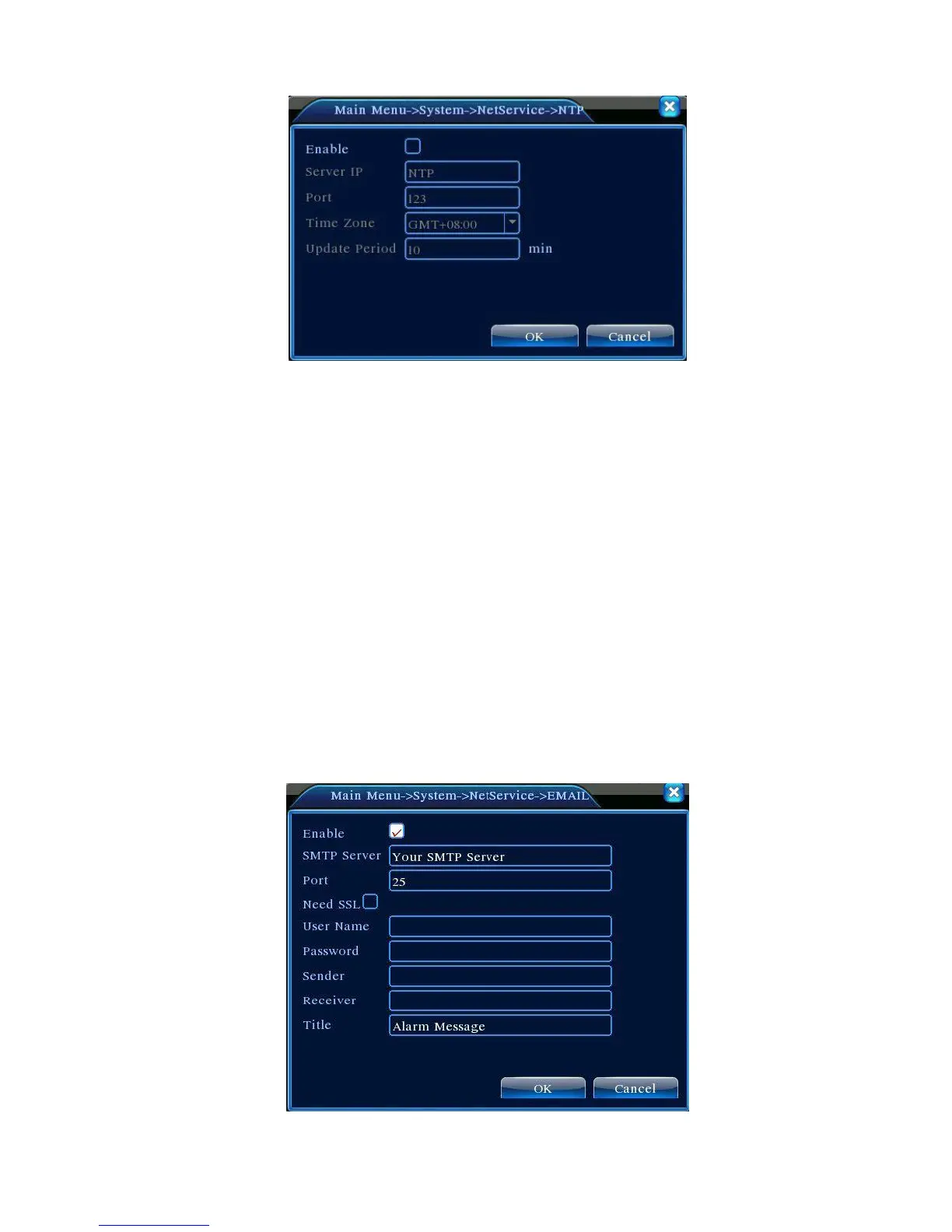
Figure 4.19 NTP Settings
Need to install NTP service on local PC.
Server IP: Enter the IP address of the PC on which the NTP server is installed;
Port: The default NTP port is 123. It may be set using the actual NTP server port settings;
Time Zone: London GMT+0 Berlin GMT +1 Cairo GMT +2 Moscow GMT +3 New Delhi GMT
+5 Bangkok GMT +7 HK/Beijing GMT +8 Tokyo GMT +9 Sydney GMT +10 Hawaii GMT-10
Alaska GMT-9 Pacific Time GMT-8 US Mountain Time GMT-7 US Central Time GMT-6 US
Eastern Time GMT-5 Atlantic Time GMT-4 Brazil GMT-3 Mid-Atlantic GMT-2;
Synchronization Interval:Time synchronization interval with NTP server. Default is 10 minutes.
【EMAIL Settings】
In the case of alarm events or alarm snapshots, notifications and snapshots will be sent to the
specified email address.



 To Next Page