Page 30
Then follow the routine:
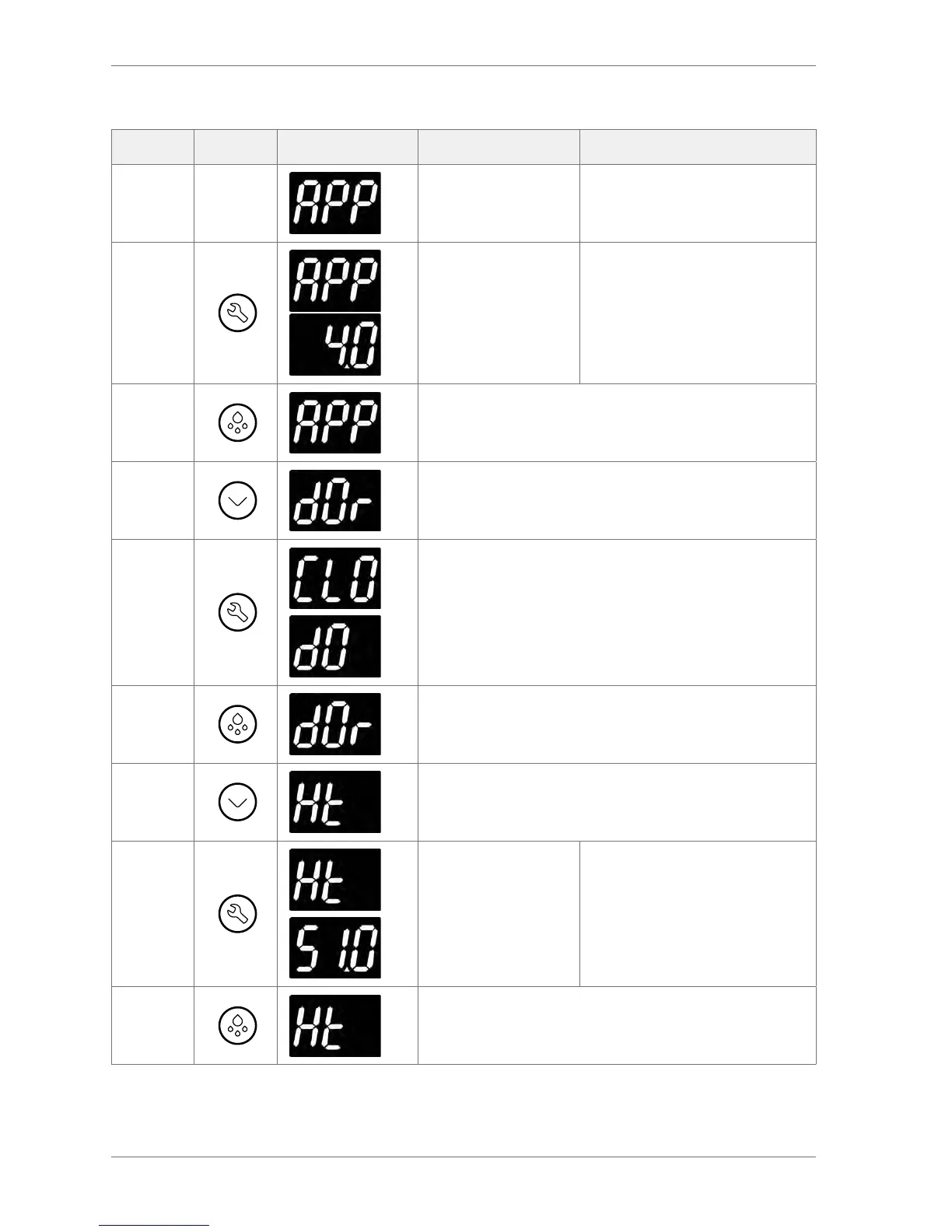
Action Button Display Test Check
Appliance sensor input
Press
Appliance sensor
temperature
Displayed temperature is as
expected
Press
Press Defrost to return to the analogue input test menu
Press Door switch
Press
Door is open (dO) or closed (CLO)
Opening and closing the door should make the display
alternate between the two messages.
Press
Press Defrost to return to the analogue input test menu
Press Condenser sensor input
Press
Condenser sensor
temperature
Displayed temperature is as
expected
Press
Press Defrost to return to the analogue input test menu


 To Next Page