Page 31
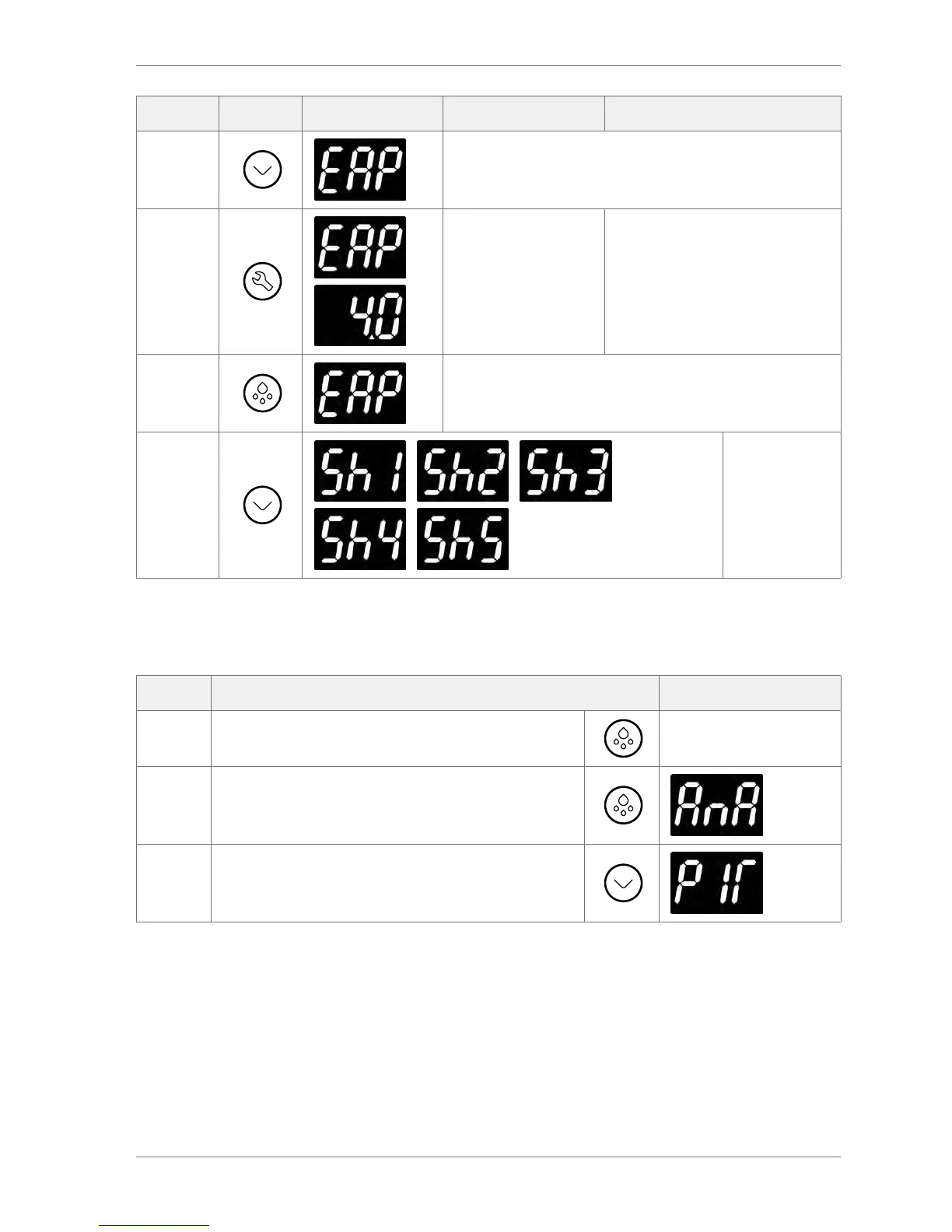
Action Button Display Test Check
Press
Evaporator sensor input
Press
Evaporator sensor
temperature
Displayed temperature is as
expected
Press
Press Defrost to return to the analogue input test menu
Press
/ / /
/
For future use
- Stock sensing
hardware
currently
unavailable.
3.8.4 The motion sensor (PIr) test
The motion sensor test checks that the PIR (Passive Infra-red) sensor is picking up activity.
Step Action Display
1 Press Defrost to return to the analogue input test menu
2 Press Defrost to return to the test menu
3
From the test menu:
Press the Down button to scroll to the PIR input test.


 To Next Page