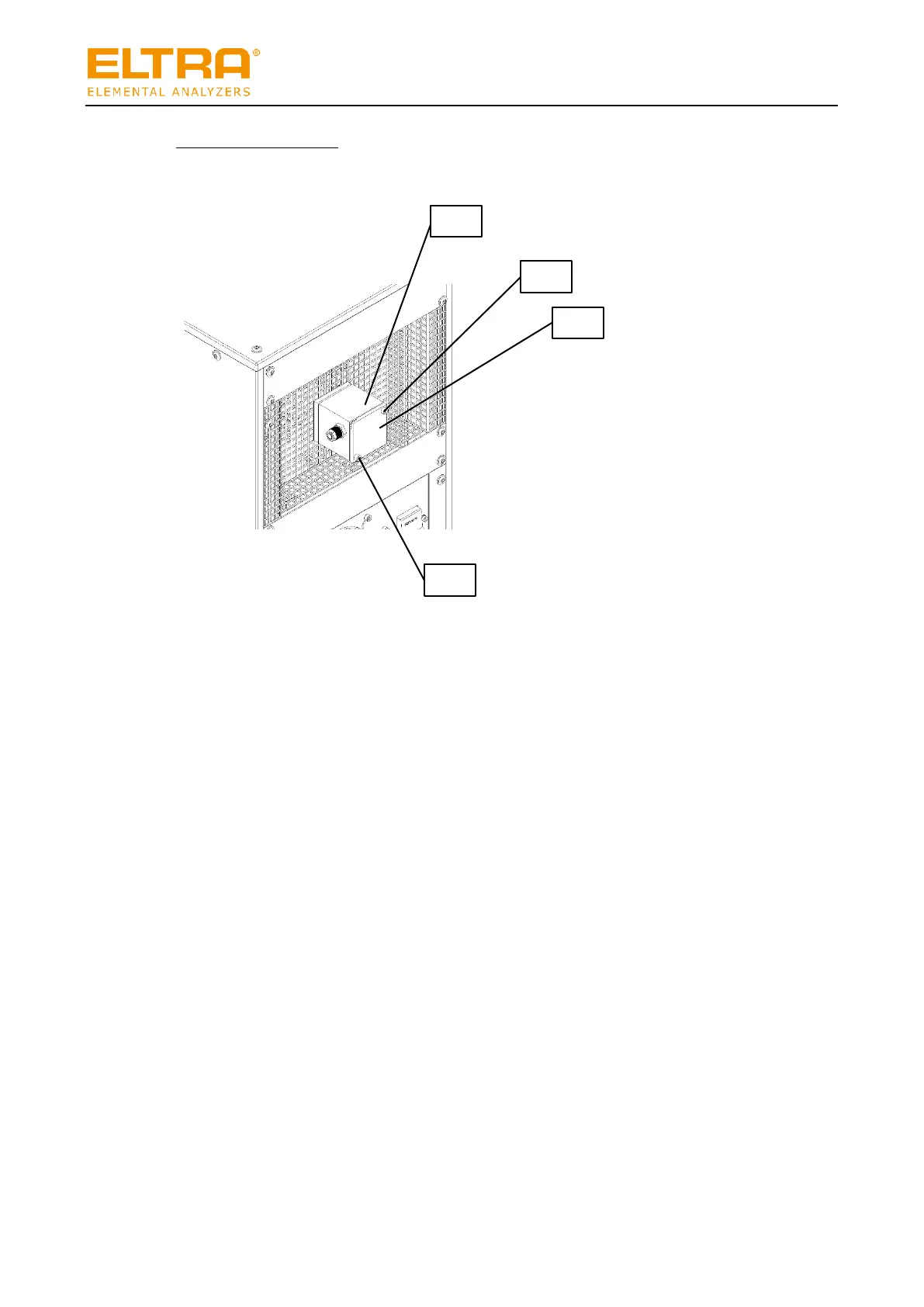
Fig. 29: Dust box on the back of the HTFr
Open the dust box as follows:
1. Turn the analyzer to Position 0 on the main switch or switch to induction furnace mode in
the ELEMENTS software.
The analyzer must not generate any vacuum in the HTFr.
2. Turn the HTFr to Position 1 on the main switch.
3. Wait until the machine has cooled down sufficiently.
3. Turn the HTFr to Position 0 on the main switch.
4. Remove the screws (2) and (4) from the dust box (1).
5. Remove the cover (3).
The dust box has been opened.


 To Next Page