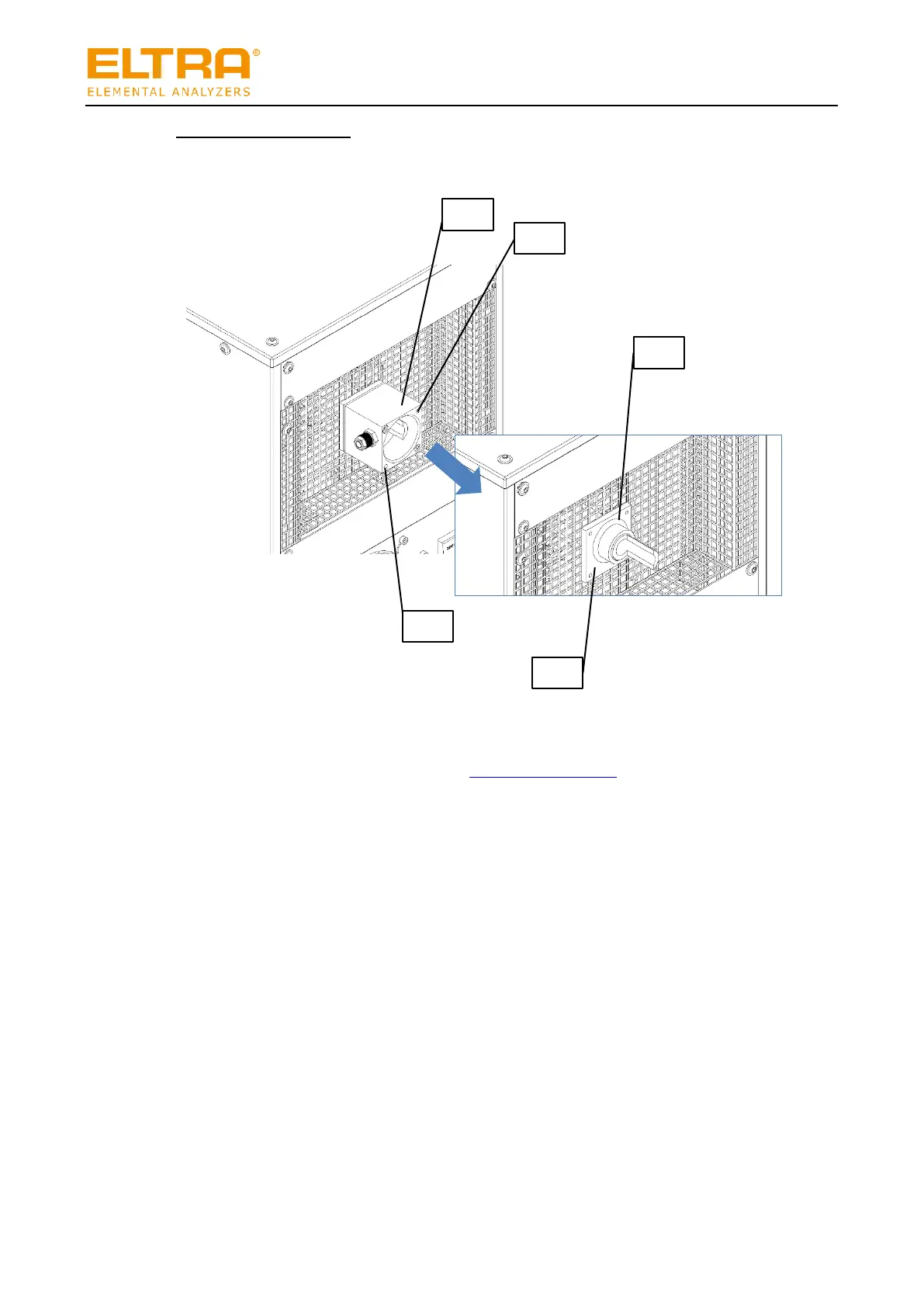
Fig. 32: Back of the HTFr with open dust box
Remove the dust box as follows:
1. Ensure that the dust box is open, see “Opening the dust box”.
2. Remove the screws (2) and (5) and remove the housing of the dust box (1).
3. Pull off the O-ring (3).
If the O-ring is stuck to the combustion tube, slide the rear cover plate (4) back a little so
that you can carefully release the O-ring all round.
4. Pull off the cover plate (4).
The dust box has been removed.


 To Next Page