X Command - Box Draw
Description This command is used to draw one (hollow)
box as a bit mapped graphic.
Syntax Xp
1,
p
1,
p
3,
p
4
Parameters p
1
= Horizontal start position (X) in dots.
p
2
= Vertical start position (Y) in dots.
p
3
= Box line width in dots.
p
4
= External horizontal width in dots.
p
5
= External vertical length in dots.
Example:
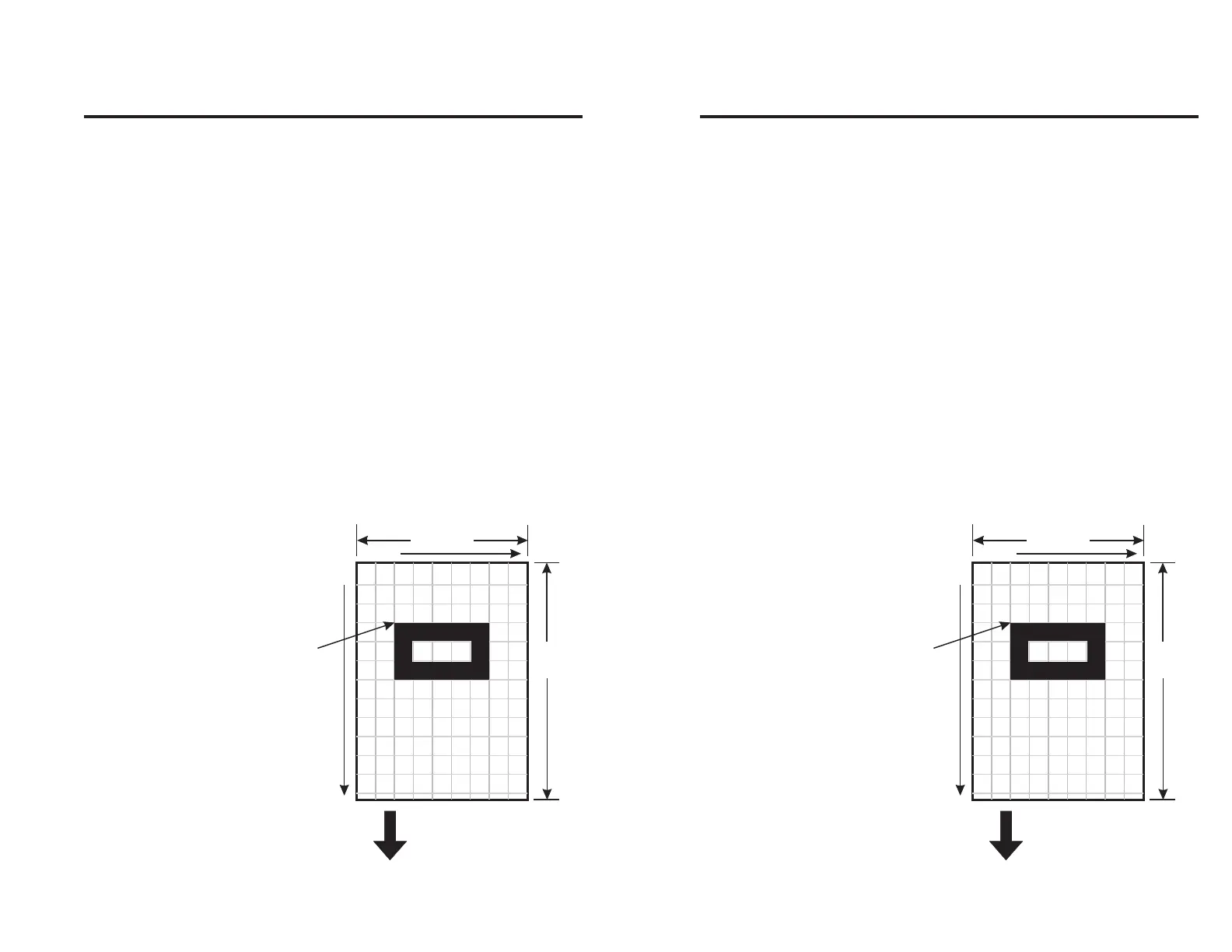
X96,144,42,240,144↵: defines the box shown be-
low.
54mm
432 dots
74mm
592 dots
x axis
y axis
Direction Of Feed
(0,0)
(431,591)
Point of
Origin for
Box Object
Figure 2-8
Orienting a Box
980090-001 Rev. B 37
X Command - Box Draw
Description This command is used to draw one (hollow)
box as a bit mapped graphic.
Syntax Xp
1,
p
1,
p
3,
p
4
Parameters p
1
= Horizontal start position (X) in dots.
p
2
= Vertical start position (Y) in dots.
p
3
= Box line width in dots.
p
4
= External horizontal width in dots.
p
5
= External vertical length in dots.
Example:
X96,144,42,240,144↵: defines the box shown be-
low.
54mm
432 dots
74mm
592 dots
x axis
y axis
Direction Of Feed
(0,0)
(431,591)
Point of
Origin for
Box Object
Figure 2-8
Orienting a Box
980090-001 Rev. B 37



 To Next Page