Threading The
Label Dispenser
(Optional Feature)
If your printer is equipped with the optional
label dispenser and you would like the printer
to automatically peel adhesive labels from the
backing liner, follow the steps below:
Step ➊ Perform steps 1-7 of the Loading Labels pro-
cedure.
Step ➋ Advance the labels through the printer until at
least two full labels (approximately 6") are in
front of the print head assembly. Peel the sec-
ond and third labels off the backing liner.
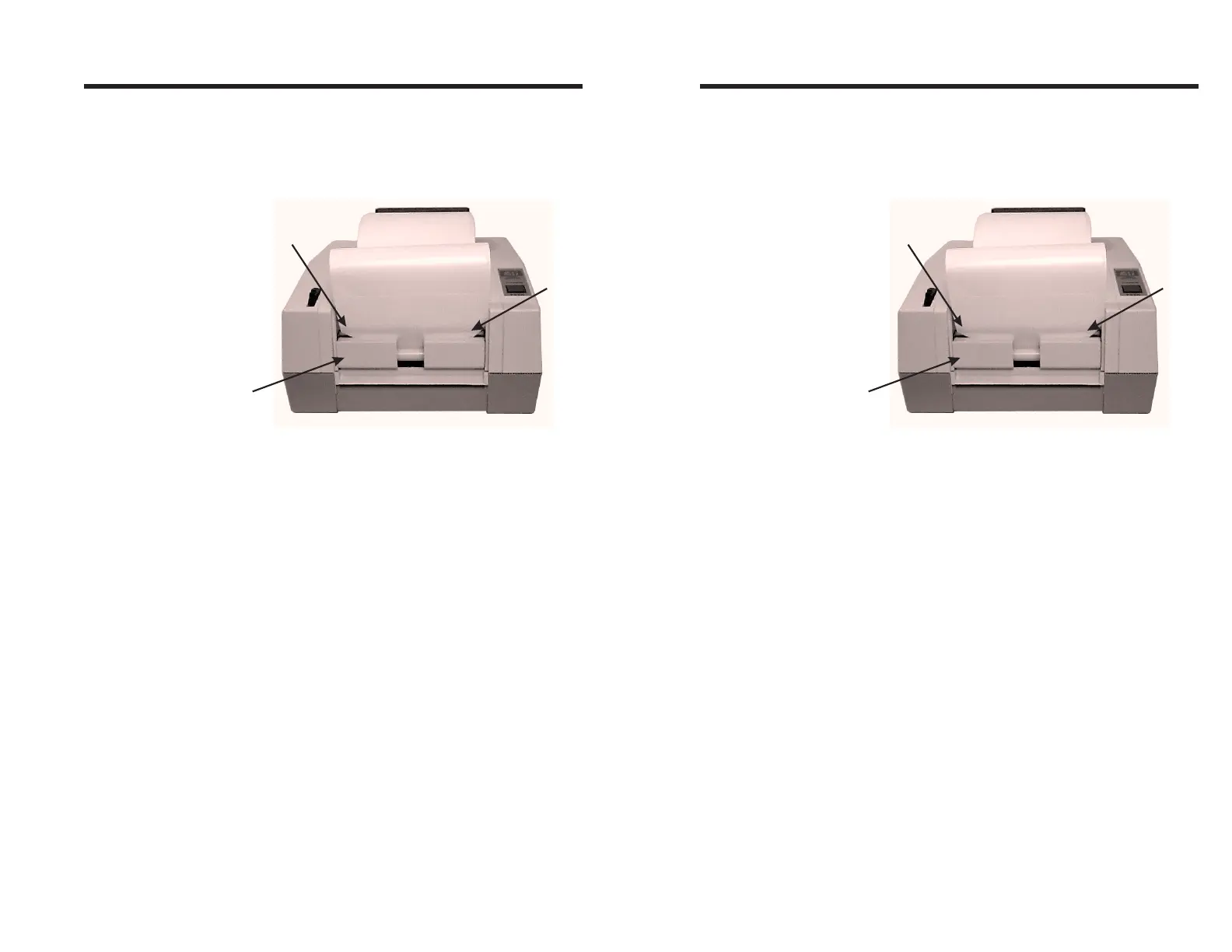
Step ➌ Insert the label leader into the peeler slot be-
tween the peeler bar and the dispenser stopper.
Peeler Bar
(Behind Liner)
Dispenser
Stopper
Peeler
Slot
Figure 2-9
Threading The Label
Dispenser
Operation
980090-001 Rev.B 15
Threading The
Label Dispenser
(Optional Feature)
If your printer is equipped with the optional
label dispenser and you would like the printer
to automatically peel adhesive labels from the
backing liner, follow the steps below:
Step ➊ Perform steps 1-7 of the Loading Labels pro-
cedure.
Step ➋ Advance the labels through the printer until at
least two full labels (approximately 6") are in
front of the print head assembly. Peel the sec-
ond and third labels off the backing liner.
Step ➌ Insert the label leader into the peeler slot be-
tween the peeler bar and the dispenser stopper.
Peeler Bar
(Behind Liner)
Dispenser
Stopper
Peeler
Slot
Figure 2-9
Threading The Label
Dispenser
Operation
980090-001 Rev.B 15



 To Next Page