3
Getting started
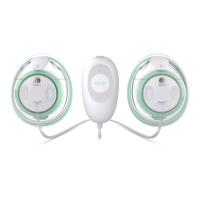
1. Charge the Elvie Stride Hub
Plug in the Hub for five minutes to wake it up before
first use. Please note, Elvie Stride does not turn on while
it is charging. For more details, please read the Charging
section of this booklet.
2. Download the Pump with Elvie app
Download the Pump with Elvie app on your smartphone to make
use of your pump’s smart features:
• Track sessions
• Control Elvie Stride remotely
• Personalize your pump preference settings
The Pump with Elvie app can be downloaded from the Apple App
Store (for iPhone) or Google Play Store (for Android).
For the most up-to-date information on what devices
the app can be used with please visit elvie.com/compatibility
English



 To Next Page