18
5.5 Modes and intensity settings
Modes
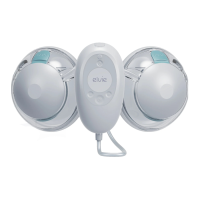
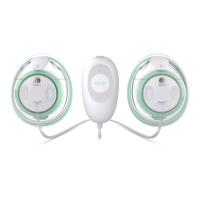
Elvie Stride has two modes: Stimulation and Expression. Elvie Stride will
always start in Stimulation mode. This is a faster pumping rhythm to
stimulate milk let-down.
Elvie Stride will automatically switch to Expression mode after approximately
two minutes. You can also change modes in the app or on the Hub using
the Mode button. When the Mode Light is illuminated, the pump is in
Expression mode. This is a slower, stronger pumping rhythm for ecient
milk expression.
Intensity settings
Elvie Stride has ten intensity settings in Stimulation mode and ten intensity
settings in Expression mode. This means you can adjust the pump to find a
setting that feels comfortable and works eciently in both Stimulation and
Expression modes. Once you can feel the suction on your nipples, use
and to adjust the intensity to find your preferred setting in both modes.
The Intensity Lights will illuminate to show your chosen setting.
You can save the intensity settings that you would like your pump to start in
for both Stimulation and Expression mode by using the Personalize feature in
the Pump with Elvie app. The app is free to download in the Apple App Store
or Google Play Store.
Tip: A higher intensity setting does not always mean a higher volume of milk.
Putting your nipple under excess stress or pumping if you are in pain can reduce
milk production.
Tip: Make sure the Tubes are not kinked or pinched flat.


 To Next Page