16
Enter text using the onscreen keyboard. In most apps
it will open automatically. In others, open the keyboard
by touching where you want to type.
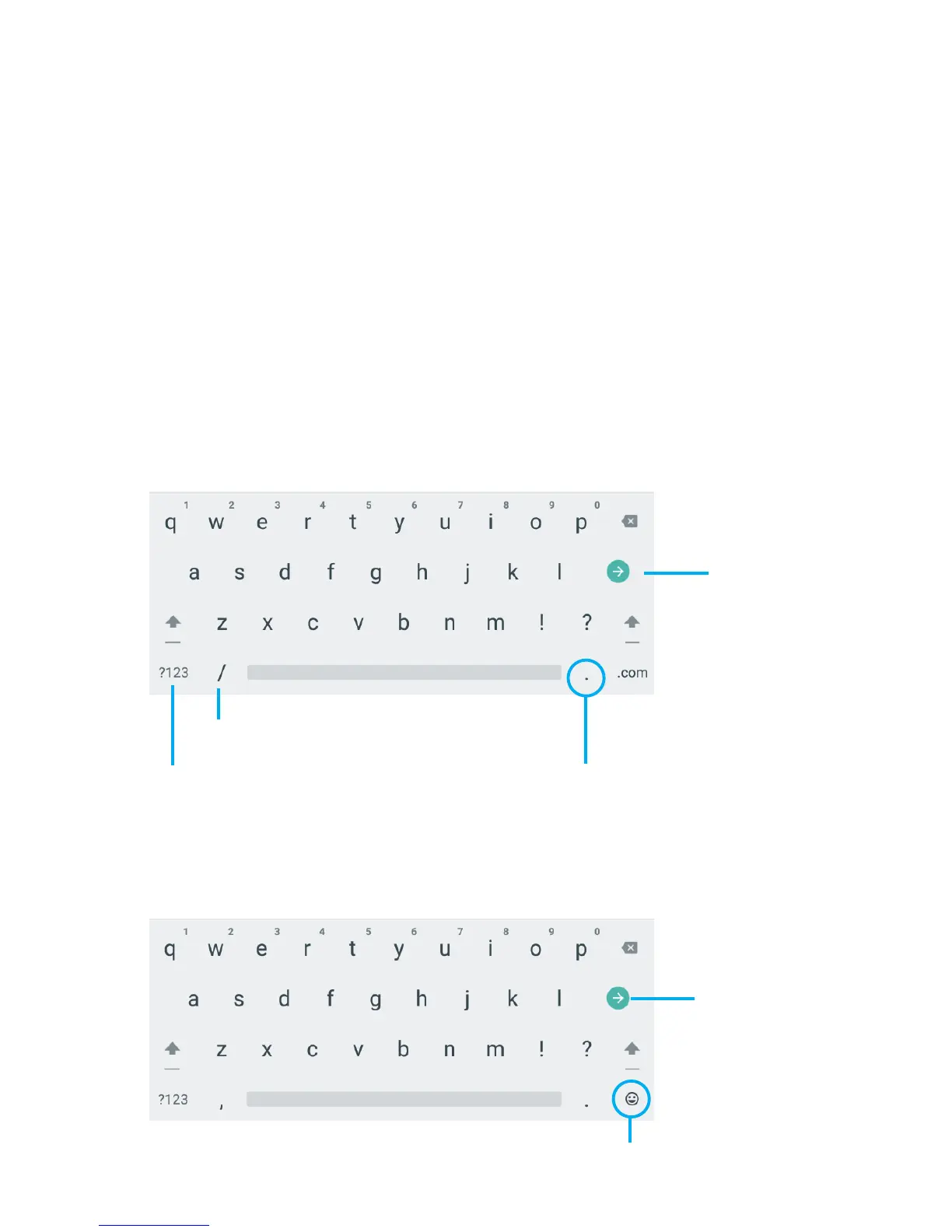
*Depending on what you are doing, some of the keys
onthekeyboardmaylookdifferent.KeyboardsA&B
appears when you are searching or browsing the net.
Keyboard C appears when you are writing emails,
documents, or messaging.
Keyboard A:
Keyboard B:
6.
Using the Keyboard
Entering text
Insert numbers or
symbols
Touch&holdforkeyboardsettings
Insert Smileys
Touch&holdtotype
special characters
and symbols
Search
Search



 To Next Page