25
Google Play
Google Play brings together all of your
favorite content in one place. Access mov-
ies, TV shows, music, books, magazines,
apps, and more when you sign in with your
Google Account. You can also shop for
more games, books, magazines, and more
in the Google Play Store app.
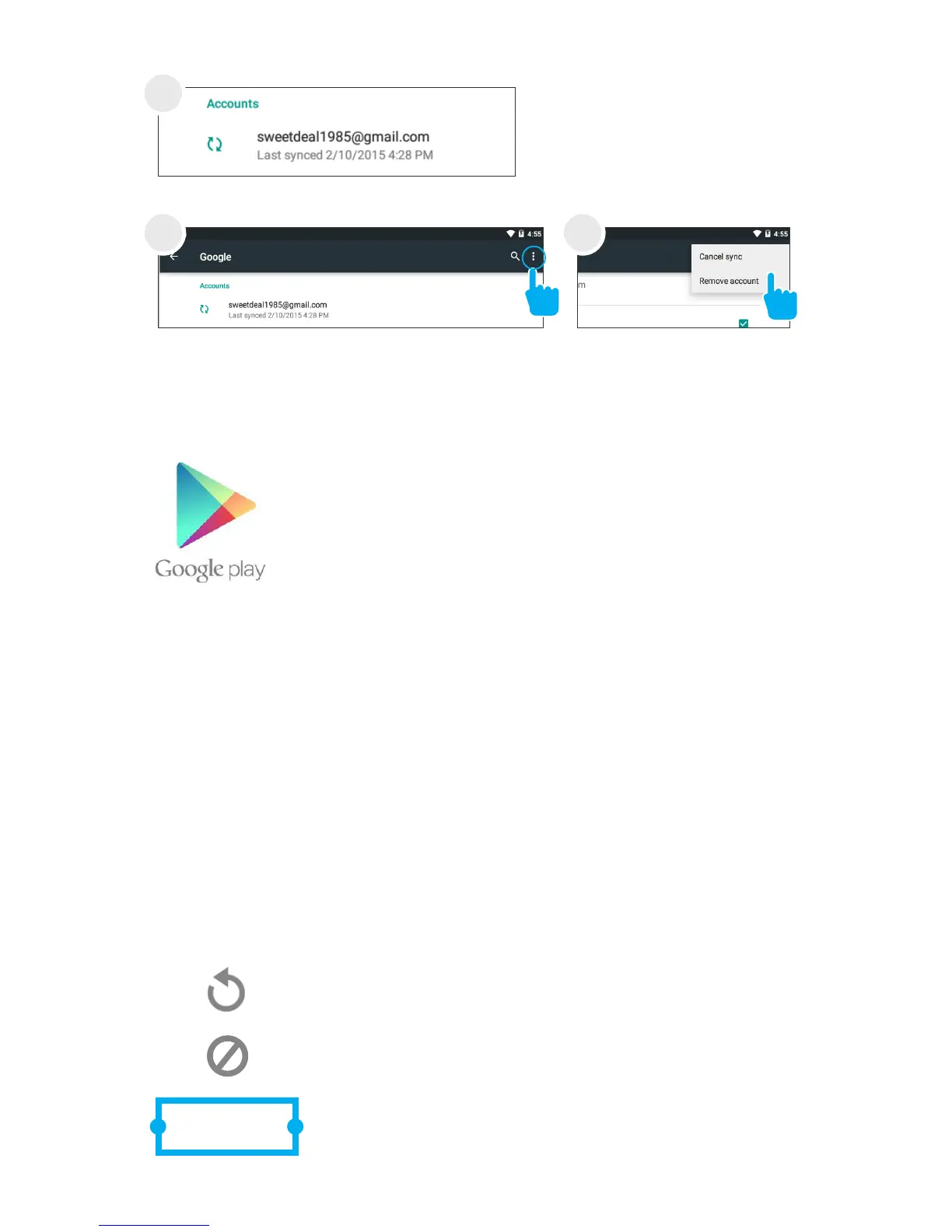
Tap Menu icon. Tap Remove
account.
Tap the account that
you want to remove.
4
5 5
Google Play
My Library: Displays your most recently used books,
music, and so on. Tap any of the images to view your
content.
Recommended Apps: Recommends apps that you can
add to your home screen.
All Google Play recommendations work the same way:
Tap to avoid future suggestions like this
Hold and drag blue dots to resize
Tap to see a different suggestion



 To Next Page