32
12.
Tips & Tricks
Extending Battery Life
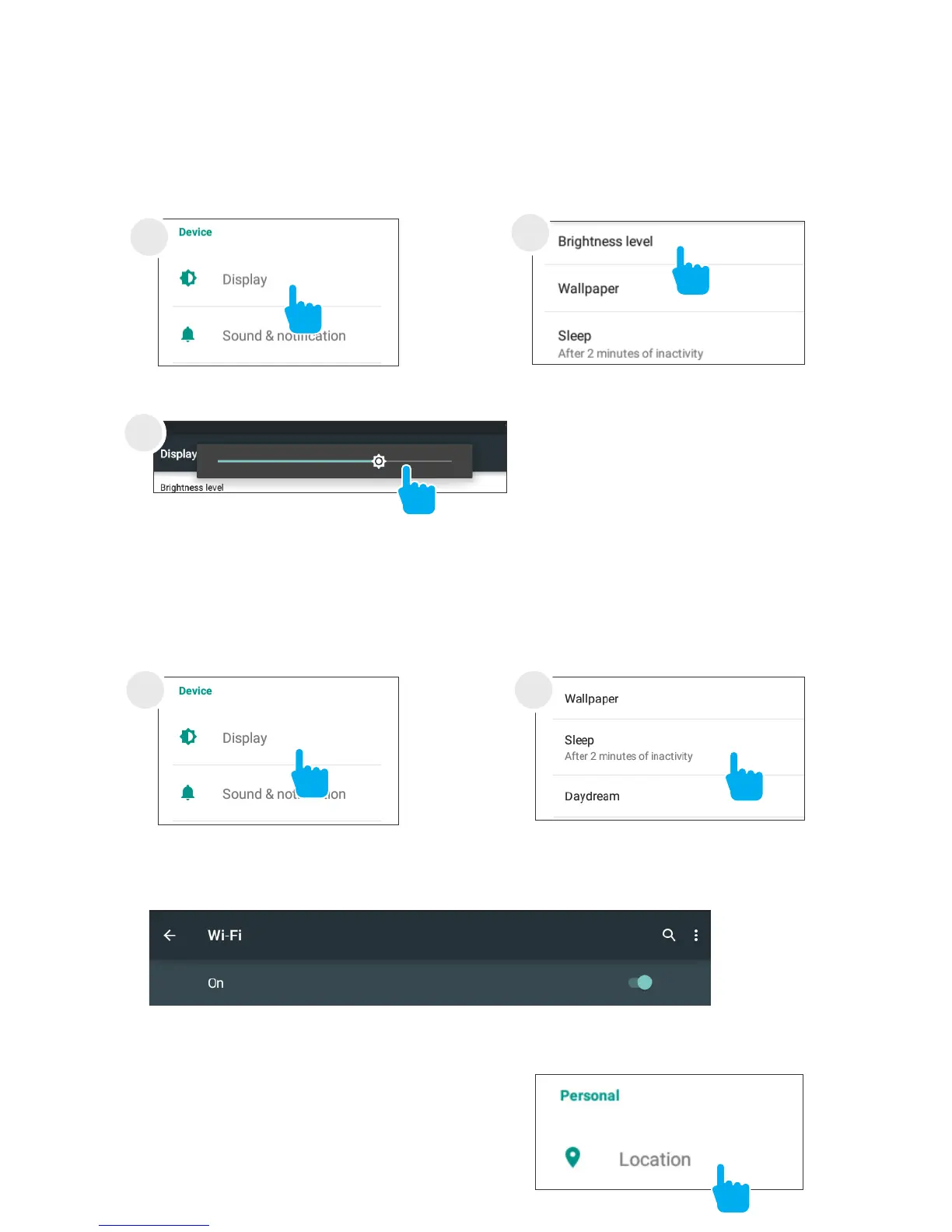
Reducing the Brightness of your screen can help extend
your battery life.
Use a Quick Screen Timeout.
Switch off Wi-Fi if you’re not close to a strong signal.
Disable Location Services.
In Settings, tap Display.
In Settings tap Display.
1
1
Tap Brightness level.
Tap Sleep.
2
2
Use the slider to adjust the
brightness. Then tap OK.
3



 To Next Page