59
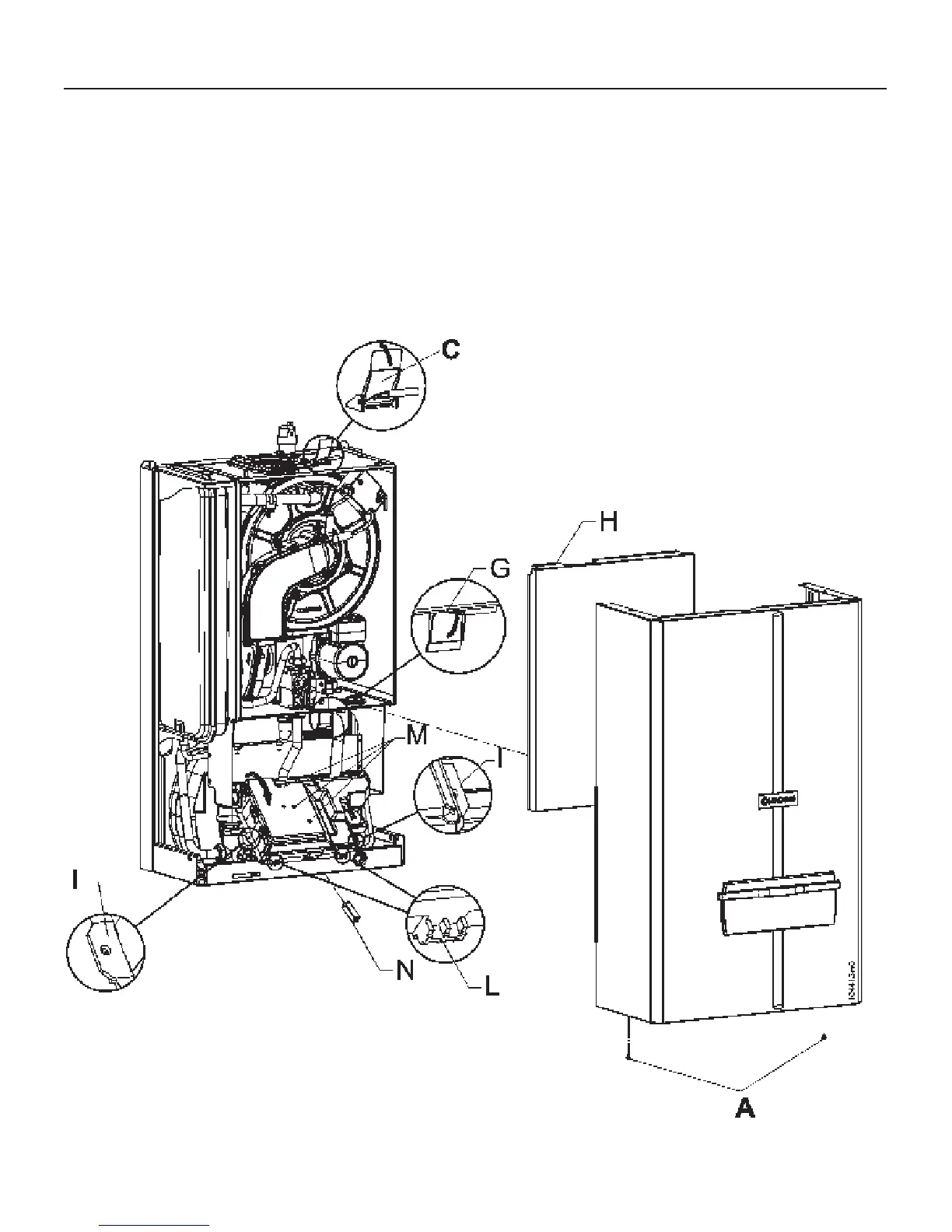
Figure 44 - Removing the casing on models 45WN and 45AN
13.2 - Removing the
casing for models
45WN and 45AN
In order to remove the casing, follow
the steps below while refering to figure
44:
remove screws “A”;
raise latch “C”;
remove the front cover;
press the two plastic springs, item
“L”, down;
lower the electrical box;
lift latch “G”;
pull the bottom of cover “H” out by
around 4 in (10 cm);
lift cover “H” up by around 1in (2 cm)
and remove it.
13 - MAINTENANCE


 To Next Page