22
Temp Calibration.
Temperature calibration needs an external thermometer to match probe’s reading value.
This procedure assumes that instrument is correctly congured and a working temperature probe connected.
Otherwise unattended results may occurr.
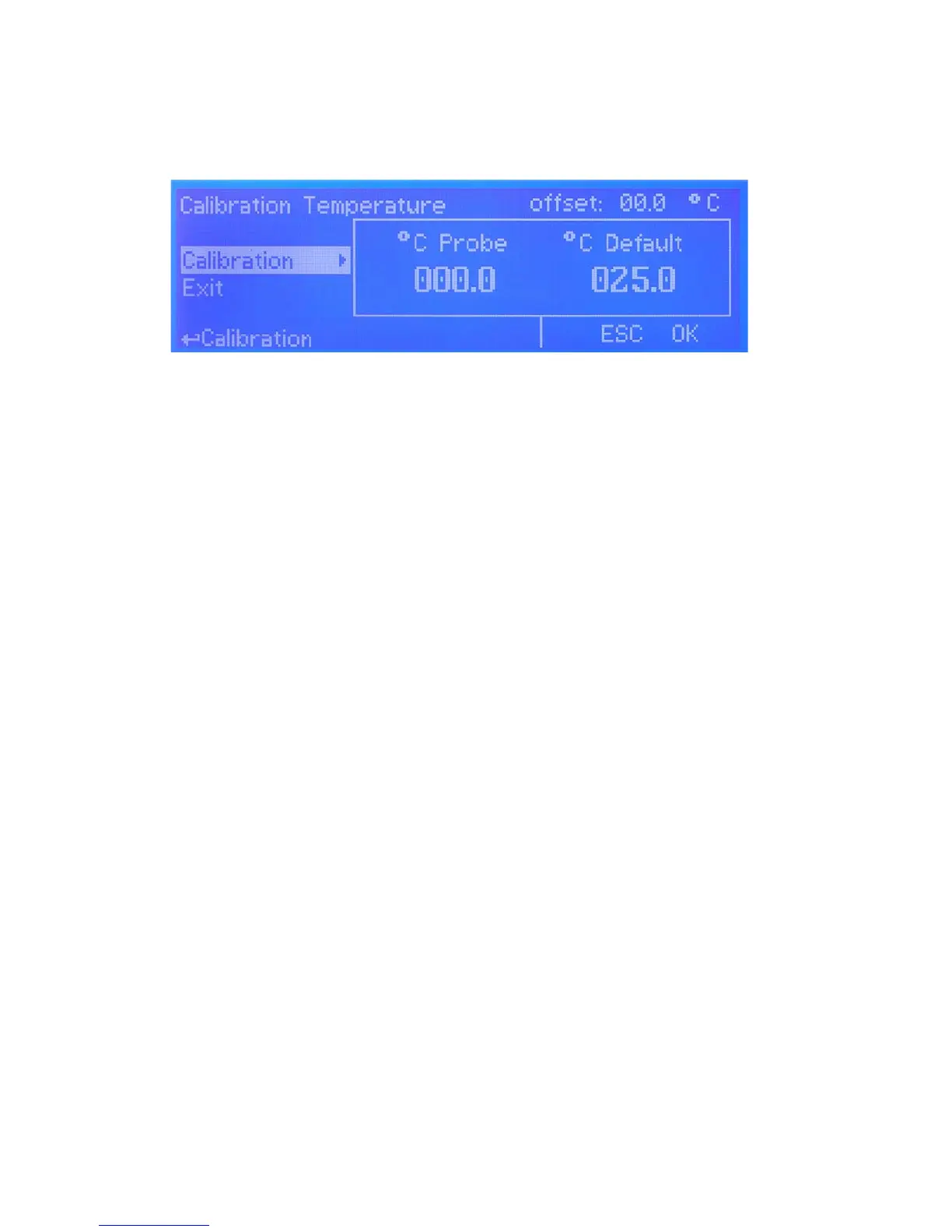
Once into “Calibration Temp” menu move wheel on “Calibration” then press wheel to enter system temperature obtained
from a thermometer. Press wheel to conrm then move cursor on “OK” and press wheel to proceed “Calibration Temp”
main menu. End procedure by moving cursor on “Exit” from “Calibration Temp” main menu and press it.
If an error occurred during calibration procedure then the instrument will show an error message and will ask to proceed
to a new calibration, cancel current operation or restore default settings.
g. 17


 To Next Page