6
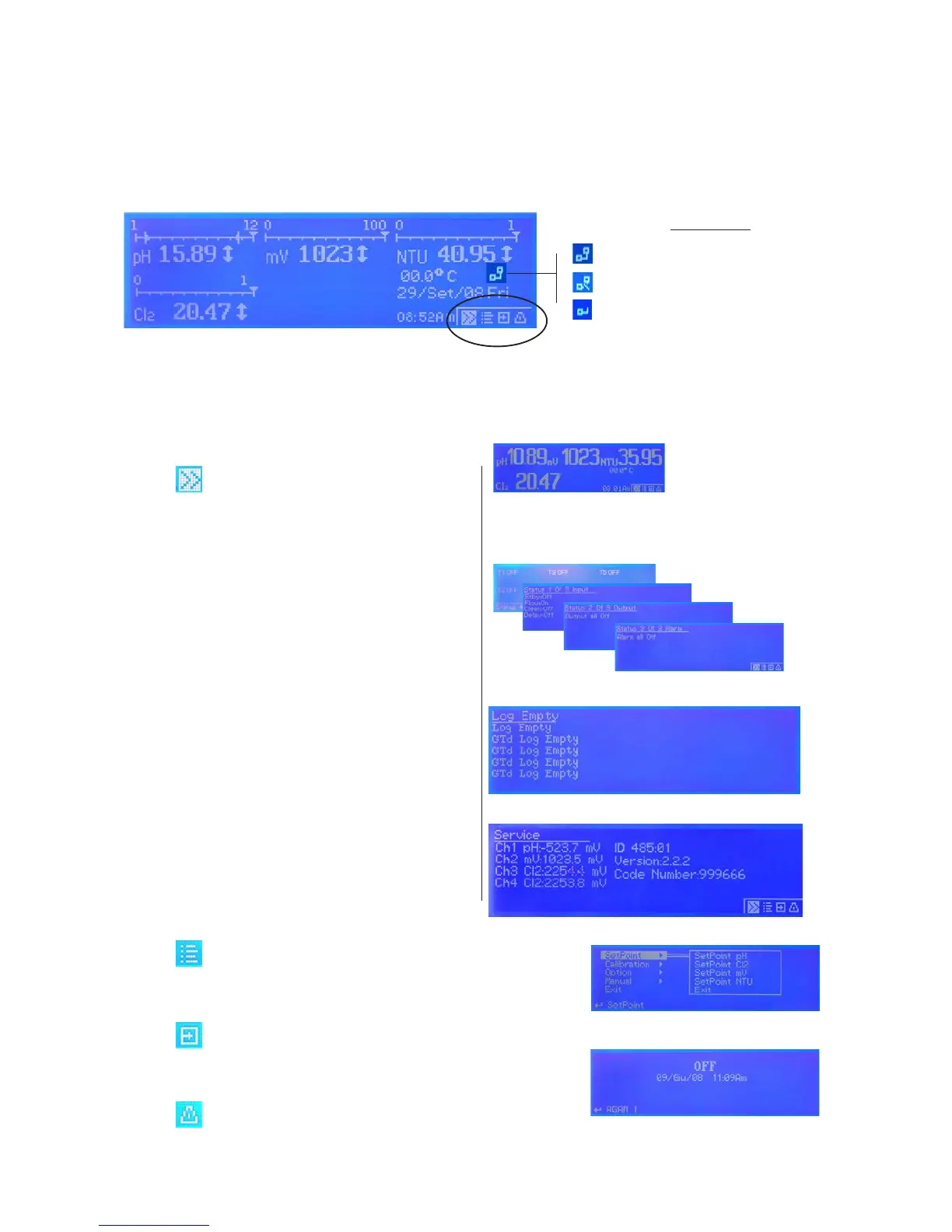
Main screen.
From main screen all instrument fucntions can be reached by rotating the wheel and highlighting the selected option.
Options available are located in the low right corner of the screen.
Status control. Press here to scroll through:
main menu alternate view
status of inputs - outputs - alarms - timers
log entries
service (it shows also ID DEVICE and ID USB DEVICE)
Use Code Number when register
for ERMES WEB services
Setup menu. (passcode protected area)
Off menu. Press here to turn off instrument
Alarm menu. Press here to stop alarms
Connection Status
LAN CONNECTION OK - ERMES CONNECTION OK
LAN CABLE DISCONNECTED
LAN CABLE CONNECTED - ERMES NOT AVAILABLE
g. 1


 To Next Page