28
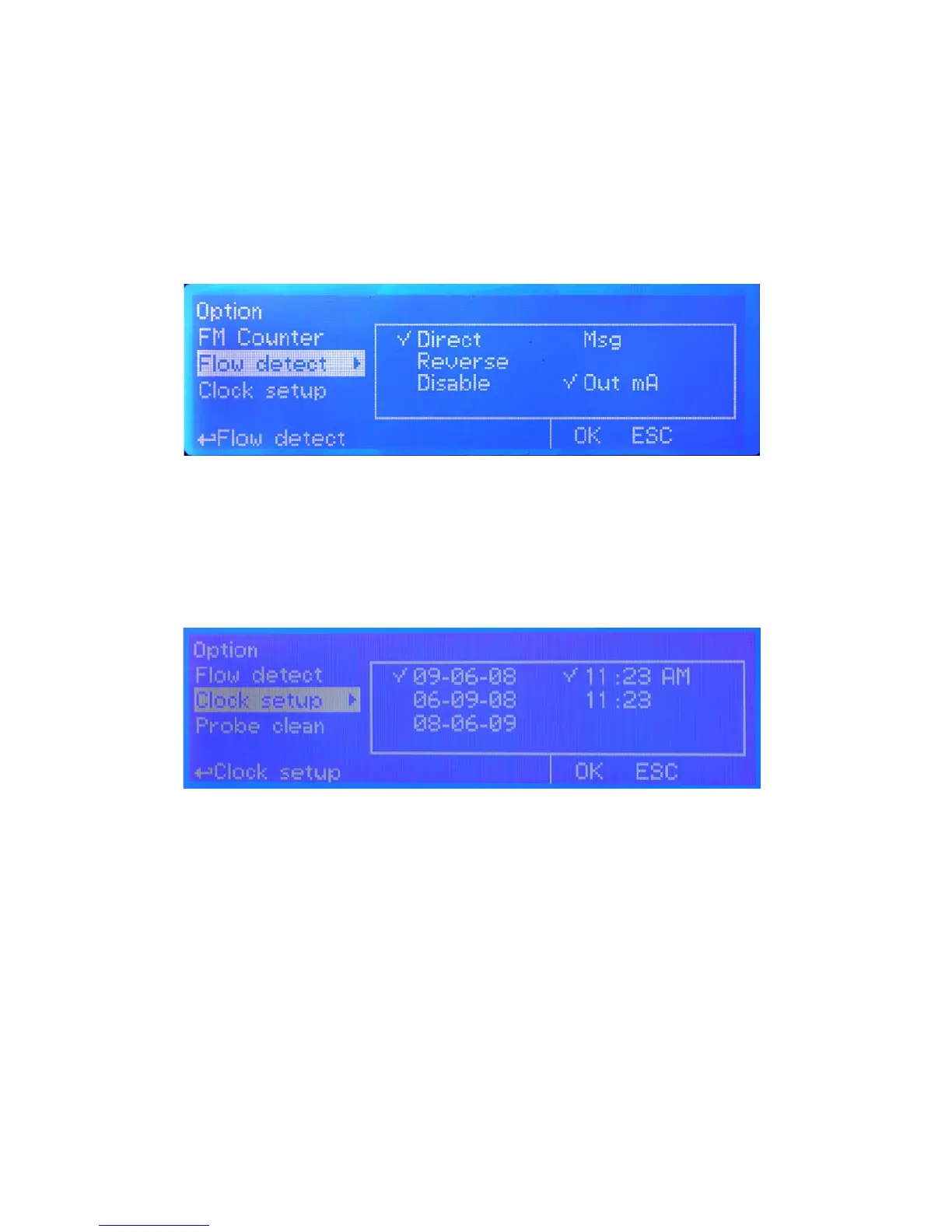
FLOW DETECT
Choose the ow sensor input, set to “Direct” activates the standard ow sensor (“SEPR” proxy
sensor). Set to “Reverse” the digital logic of the sensor is inverted. Set to “Disable” the ow sensor is not enabled.
MSG.
If agged an SMS / EMAIL alarm message will be sent to recipients added in communication menu.
OUT mA.
If agged and the mA module is properly installed, all current outputs will be disabled during a ow alarm.
CLOCK SETUP
Change date and time according to local zone and international format. Move wheel to change between different con-
gurations.
g. 21
g. 22


 To Next Page