40 FXMP25 User Guide
www.controltechniques.com Issue Number: 3
When this parameter is set to 1 the field controller operates in voltage mode. A fixed
voltage is applied to the field rather than the current being regulated.
The parameter indicates the average AC supply rms voltage at the input terminals.
Filtered by a 100 ms first order filter.
When this parameter is set to OFF (0) the field controller is disabled. Setting this
parameter to On (1) enables the field controller.
Provide the option for operating mode and full or half bridge control
Pr 78 = 0--- No mode select (OFF)
Pr 78 = 1--- Mentor MP mode (M P)
Pr 78 = 2--- Mentor II mode, half control (2.H)
Pr 78 = 3--- Mentor II mode, full control (2.F)
Pr 78 = 4--- Stand alone, half control (St.H)
Pr 78 = 5--- Stand alone, full control (St.F)
A reset is required for the mode change to take effect and the command to be passed
through to the power processor. A reset can be achieved by holding the mode key for 2
seconds.
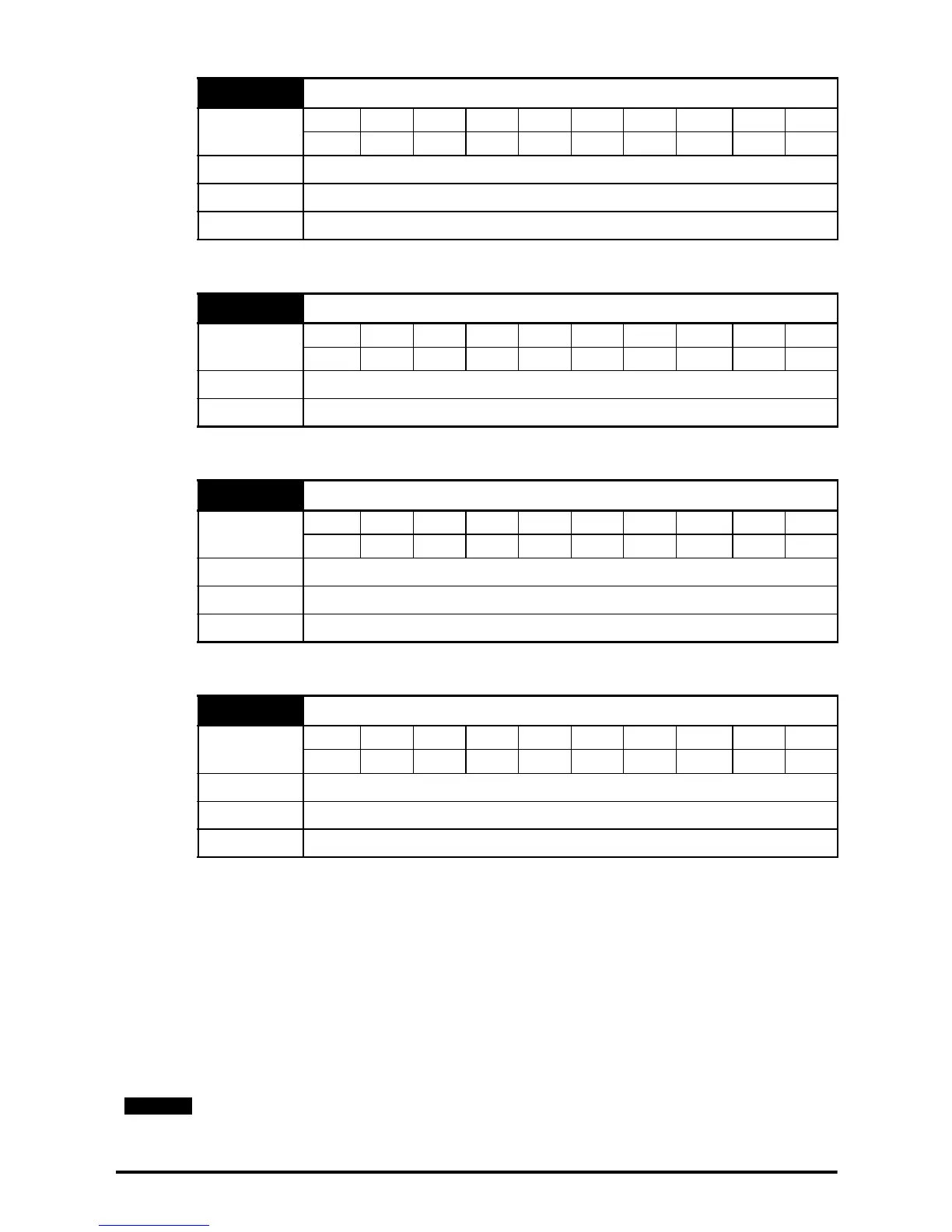
75 Field voltage mode select
Coding
Bit FI Txt VM DP ND US RW BU PS
111
Range OFF (0) to On (1)
Default Eur: OFF (0), USA: On (1)
Update rate Background read
76 AC supply
Coding
Bit FI Txt VM DP ND US RW BU PS
11
Range 0 to 550 rms Vac
Update rate Background write
77 Enable field control
Coding
Bit FI Txt VM DP ND US RW BU PS
11 111
Range OFF (0) to On (1)
Default OFF (0)
Update rate Background read
78 Field mode
Coding
Bit FI Txt VM DP ND US RW BU PS
111
Range OFF(0),M P(1),2.H(2),2.F(3),St.H(4),St.F(5)
Default OFF (0)
Update rate Actioned on field controller reset
Once an operating mode has been setup the controller must be power cycled to
change modes.



 To Next Page