EasyManua.ls Logo

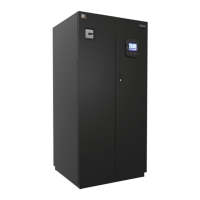
Emerson Liebert Challenger 3000 - User Manual

Emerson Liebert Challenger 3000
100 pages
Print Icon
To Next Page IconTo Next Page
Loading...
Precision Cooling
For Business-Critical Continuity™
Liebert
®
iCOM
®
User Manual - Intelligent Communications & Monitoring for Liebert Challenger 3000
, Liebert
Challenger ITR
and Liebert DS

Table of Contents

Other manuals for Emerson Liebert Challenger 3000

Questions and Answers

  • M
    Matthew AustinAug 9, 2025
    How to troubleshoot an Emerson Liebert Challenger 3000 Air Conditioner blower that will not start?
    • B
      Bradley HaleAug 9, 2025
      If the blower on your Emerson Air Conditioner won't start, there are several potential causes: * **No main power:** Verify that L1, L2, and L3 have the rated voltage. * **Blown fuse or tripped circuit breaker:** Inspect the fuses or circuit breakers connected to the main fan and replace/reset if necessary. * **Overloads tripped:** Push the reset button on the main fan overload. Also, check the amp draw. * **No output voltage from transformer:** Check for 24 VAC between P24-2 and P24-1. If there is no voltage, check the primary voltage. * **Control fuse blown or circuit breaker tripped:** Check for 24 VAC between P4-4 and E1. If there is no voltage, check for a short. Replace the fuse or reset the circuit breaker.
  • A
    Andrea JohnsonAug 19, 2025
    How to check power to actuator motors in Emerson Air Conditioner?
    • E
      Eric AdamsAug 19, 2025
      If the actuator motor in your Emerson Air Conditioner isn't working, the issue might be a lack of power. Check for 24 VAC between P22-3 and P22-5 (open), or P22-1 and P22-5 (closed).
  • C
    Craig WintersOct 30, 2025
    What to do if modulating motors are not working on my Emerson Liebert Challenger 3000?
    • M
      montoyamichaelOct 30, 2025
      If you're experiencing issues with the modulating motors in your Emerson Air Conditioner, consider these potential causes and solutions: 1. **No 24 VAC power to motor:** Check the linkage for adjustment and ensure it is securely tightened on the valve. 2. **No signal from control:** Check the DC voltage on the printed circuit board in the motor. Terminal No. 1 is grounded, and No. 3 is positive. The DC voltage should vary from 0.8 to 2.0 VDC or above as the temperature control is varied below room temperature on a cooling valve or above room temperature on a heating valve. 3. **Motor not working:** Disconnect the wires on Terminal No. 1 and No. 3 from the motor (avoid shorting). With 24 VAC power from TR to TR, use a jumper wire to connect terminals 1 and 2 on the motor to drive it ope...

Summary

Liebert iCOM Display Components and Functions

Entering a Password

Provides instructions on how to enter passwords to access protected menu settings.

Operation

Single Unit Functions

Covers essential functions for controlling a single cooling unit, like start/stop and alarms.

Unit;Fan Control

Details how to start, stop, and manage the unit and fan operations.

General Compressor Requirements

Outlines requirements for compressor operation, including pressure and temperature limits.

Temperature Control-Single Source Cooling

Explains temperature control logic for units with a single cooling source.

Temperature Control-Second Cooling Source

Describes temperature control strategies when using a secondary cooling source.

Temperature Control-Reheat

Details how the system manages heating operations when temperatures drop too low.

Humidity Control

Explains how the system manages humidification and dehumidification processes.

Humidification

Covers the operation and settings for the humidification function.

Dehumidification

Details the dehumidification process and related low-limit settings.

Control Types

Describes different control strategies like Proportional, PI, and Intelligent.

Temperature and Humidity Control Types

Explains how control types affect temperature and humidity regulation.

Supply Control

Focuses on controlling the supply air temperature and its related parameters.

Wellness-Next Maintenance Calculation

Explains how the system calculates the next maintenance schedule based on component usage.

Calculation of Next Maintenance and Diagnostics

Details the factors and parameters used in calculating maintenance schedules.

Teamwork

Installing a Liebert iCOM Unit-to-Unit Network

User Menu Parameters

Service Menu Parameters

Setpoints parameters screen - Page 1

Configuration of temperature, humidity, and supply air setpoints and control types.

Wellness basic settings screen- Page 1

Basic settings for wellness monitoring, including maintenance frequency and bonus/penalty.

Diagnostics; service mode parameters screen - Page 1

Diagnostic parameters for compressor alarms, counters, and pressure readings.

Emerson Liebert Challenger 3000 Specifications

General IconGeneral
BrandEmerson
ModelLiebert Challenger 3000
CategoryAir Conditioner
LanguageEnglish

Related product manuals