EasyManua.ls Logo

Emerson Micro Motion 2500 - Page 194

Emerson Micro Motion 2500
282 pages
Print Icon
To Next Page IconTo Next Page
To Previous Page IconTo Previous Page
Loading...
184 Micro Motion Series 1000 and Series 2000 Transmitters
Menu Flowcharts – Model 1500 AN Transmitters
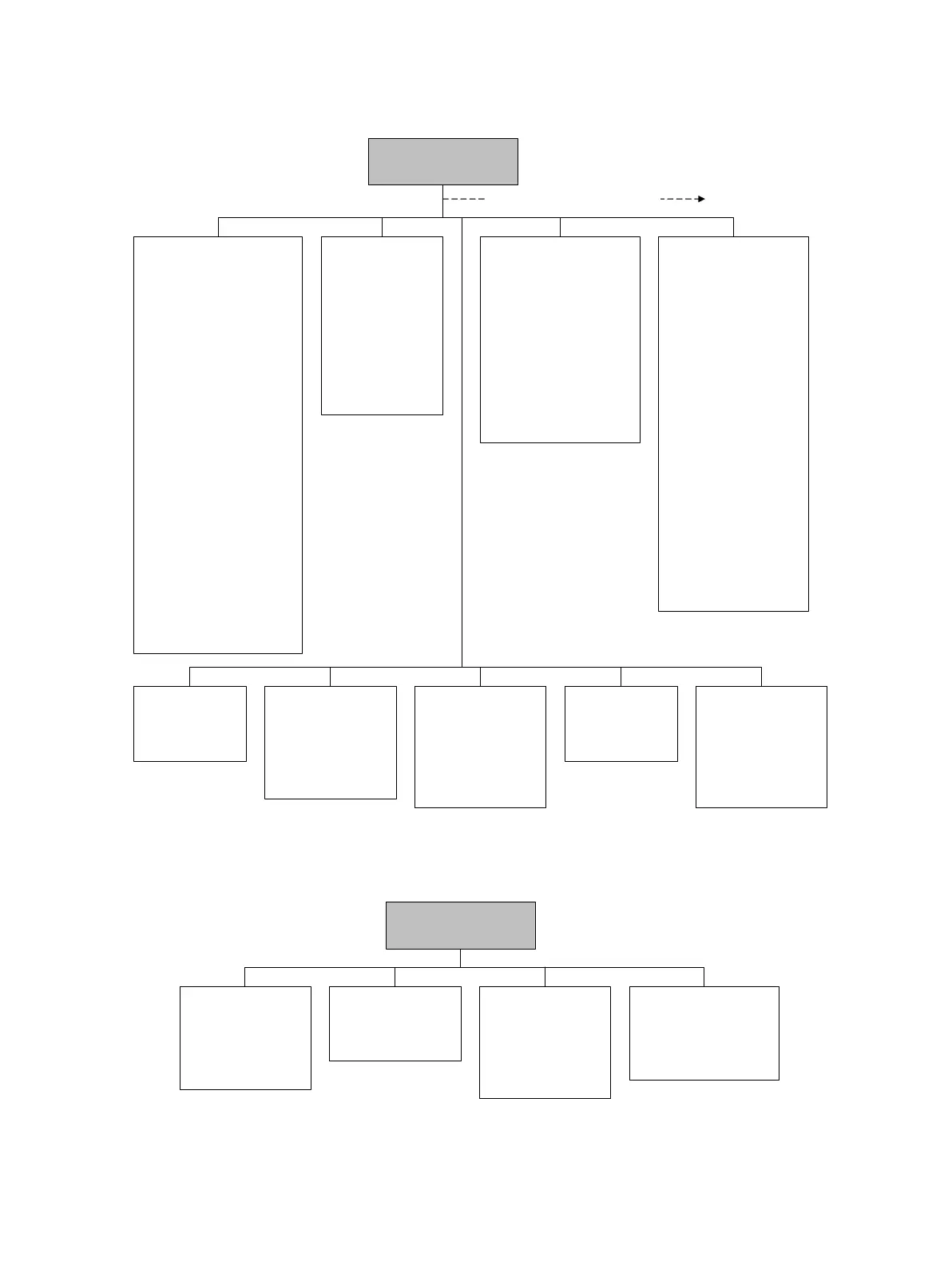
Figure C-3 ProLink II configuration menu continued
Figure C-4 ProLink II configuration menu continued
T Series
• FTG
• FFQ
•DTG
•DFQ1
•DFQ2
•K3
•D3
•D4
•K4
ProLink >
Configuration
Special Units
• Base mass unit
• Base mass time
• Mass flow conv fact
• Mass flow text
• Mass total text
• Base vol unit
• Base vol time
• Vol flow conv fact
• Vol flow text
• Vol total text
Device
•Tag
•Date
•Descriptor
• Message
• Sensor type
• Transmitter serial number
• Floating pt ordering
• Add comm resp delay
Digital comm settings
• Fault setting
• HART address
• Loop current mode
• HART device ID
• Modbus address
• Enable write protection
Update rate
• Update rate
•100 Hz variable
Burst setup
• Enable burst
• Burst cmd
• Burst var 1...4
Events
• Event 1/2
•Variable
•Type
•Setpoint
Discrete events
•Event name
•Event type
• Process variable
• Low setpoint (A)
• High setpoint (B)
Polled variables
Polled variable 1/2
• Polling control
•External tag
• Variable type
• Current value
Alarm
•Alarm
• Severity
Additional configuration options
Discrete input
• Assignment
• Polarity
Sensor simulation
• Enable/disable
Mass flow
• Wave form
•Fixed value
•Period
•Minimum
•Maximum
Density
• Wave form
•Fixed value
•Period
•Minimum
•Maximum
Temperature
• Wave form
•Fixed value
•Period
•Minimum
•Maximum
ProLink >
Configuration
Transmitter options
• Volume flow
• Meter fingerprinting
• Meter verification
Variable mapping
•PV is
•SV is
•TV is
•QV is
System
• W & M approval
• Reset options
Sensor
• Sensor s/n
•Sensor model
•Sensor matl
• Liner matl
•Flange

Table of Contents