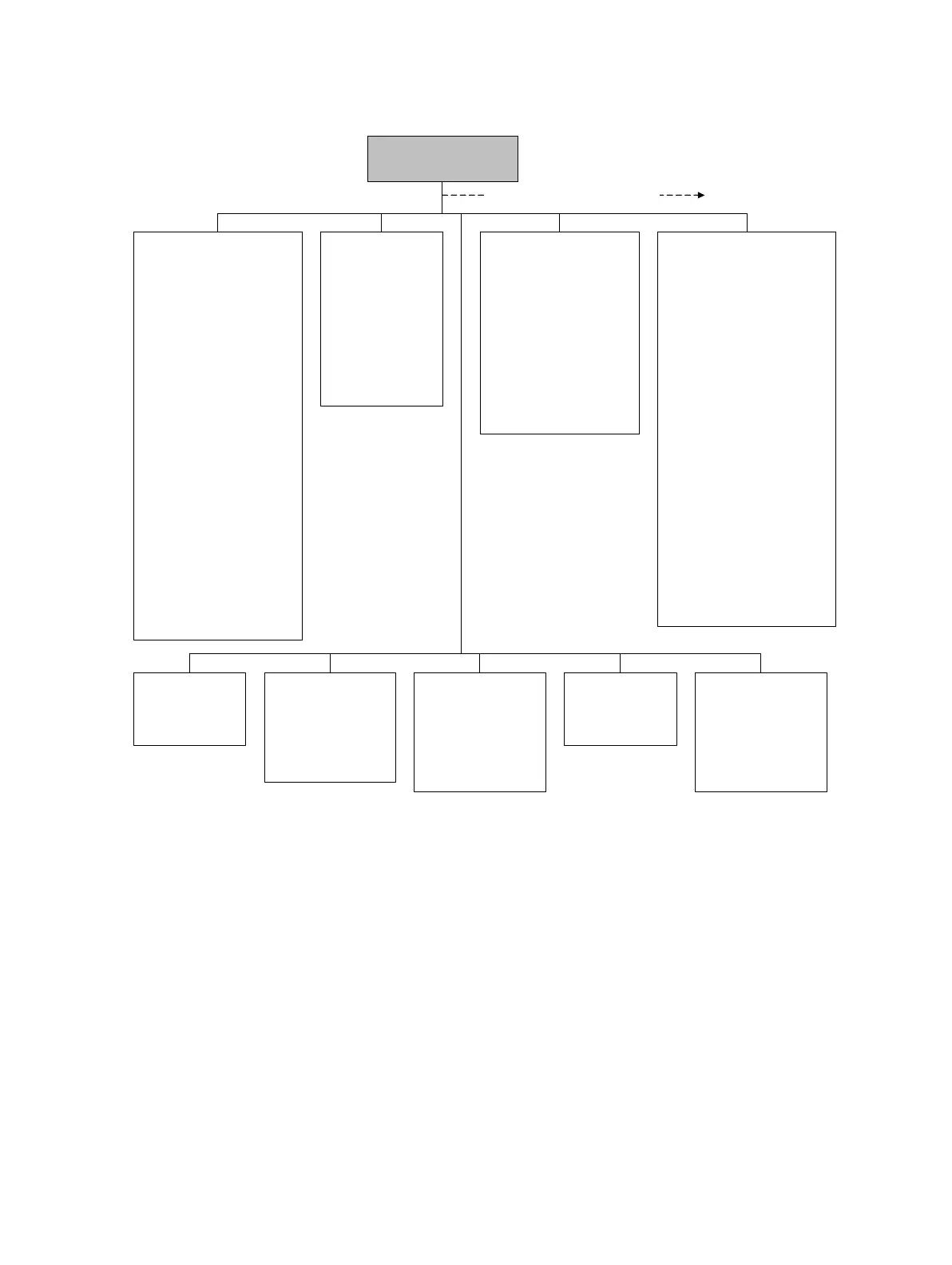
T Series
• FTG
• FFQ
•DTG
•DFQ1
•DFQ2
•K3
•D3
•D4
•K4
ProLink >
Configuration
Display
•mA1
• Var2...Var15
Display precision
•Var
• Number of decimals
Display language
Display options
• Display start/stop totalizers
• Display totalizer reset
• Display auto scroll
• Display offline menu
• Display offline password
• Display alarm menu
• Display ack all alarms
• Display backlight on/off
• Display alarm screen pwd
• Display LED blinking
• Offline password
• Auto scroll rate
• Update period
Special Units
• Base mass unit
• Base mass time
• Mass flow conv fact
• Mass flow text
• Mass total text
• Base vol unit
•Base vol time
• Vol flow conv fact
• Vol flow text
• Vol total text
Device
•Tag
•Date
•Descriptor
• Message
• Sensor type
• Transmitter serial number
• Floating pt ordering
• Add comm resp delay
Digital comm settings
• Fault setting
• HART address
• Loop current mode
• HART device ID
• Modbus address
• Enable write protection
Update rate
• Update rate
•100 Hz variable
Burst setup
• Enable burst
• Burst cmd
• Burst var 1...4
Events
• Event 1/2
•Variable
•Type
•Setpoint
Discrete events
• Event name
• Event type
• Process variable
• Low setpoint (A)
• High setpoint (B)
Polled variables
Polled variable 1/2
• Polling control
•External tag
• Variable type
• Current value
Alarm
•Alarm
• Severity
Additional configuration options
Discrete input
• Assignment
• Polarity



 To Next Page