Operating Your Air Conditioner
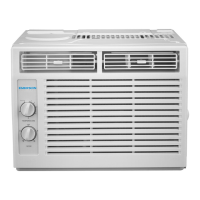
1.Power: Turn on the unit by rotating the MODE dial to the desired
setting.
2. Cooling mode: For maximum cooling set the MODE dial to
In HIGH COOL mode, the fan will automatically go to
high. This will help circulate the cool air throughout the room. The
fan will operate on low speed in mode.
3. Fan Mode: For fan only modes, choose either
. The air conditioner will not cool the room
when in fan mode.
4. Thermostat: Turn the TEMP dial to set the desired room
temperature. For maximum cooling turn the TEMP dial to 7 (Max
Cool).
5. Directional Louvers: To direct the airflow, use horizontal wheel
to control the horizontal direction, and air deflector to control the
vertical direction.
NOTE: To minimize wear and tear on the air conditioner, always
wait at least 3 minutes before changing modes. This will help
prevent the compressor from overheating and the circuit breaker
from tripping.
Normal Operating Sounds
• You may hear a pinging noise caused by water hitting the
condenser on rainy days, or when the humidity is high. This design
feature helps remove moisture and improve efficiency.
• You may hear the thermostat click when the compressor cycles
on and off.
• Water will collect in the base pan during rain or days of
high humidity. The water may overflow and drip from
the outside part of the unit.
• The fan may run even when the compressor is not on.


 To Next Page
 Loading...