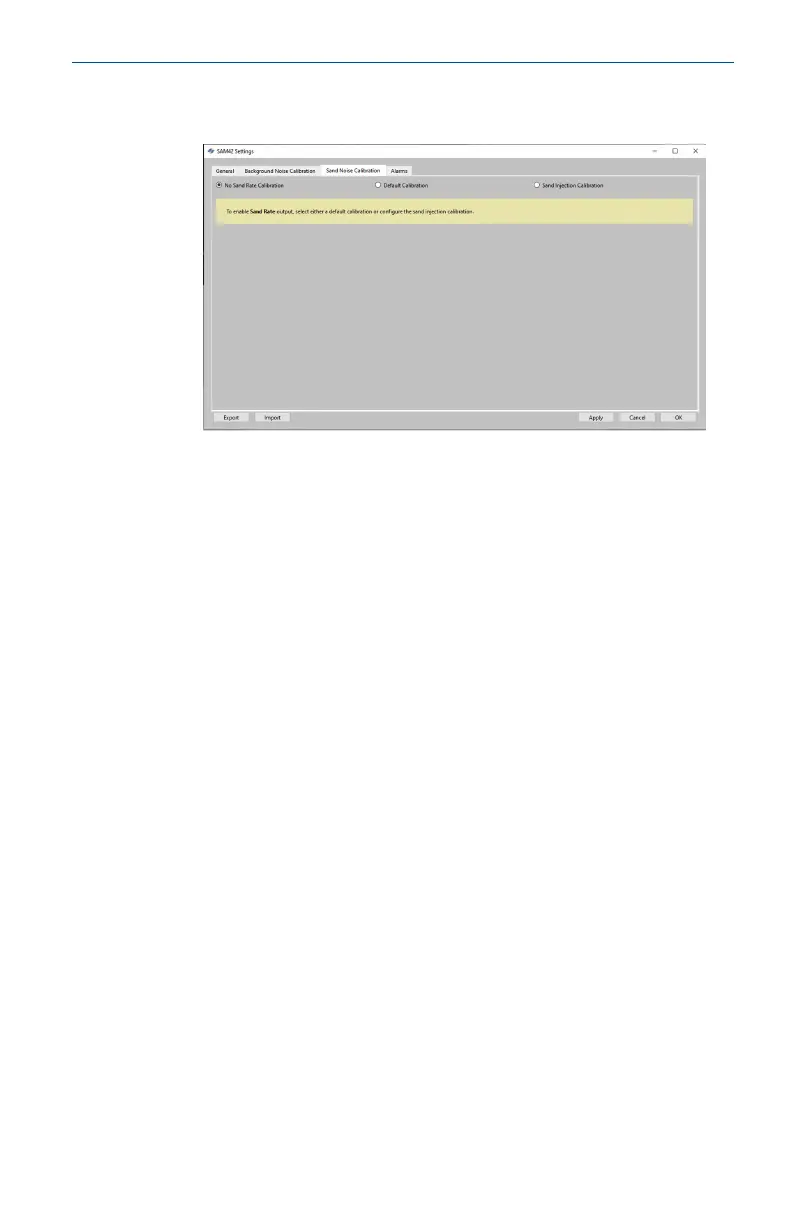
2. The Sand Noise Calibration tab will then open with three
options:
• No Sand Rate Calibration: This sets all the coefficients on
the device which determine the sand noise calibration to
zero. This results in the device only reporting a raw noise
output, which would give an indication of solid production
intensity. To make this selection, ensure that No Sand Rate
Calibration is selected. Then, press Apply and OK.
• Default Calibration: This will use generic coefficients for
the sand noise calibration. This will be for indication only
and the accuracy will depend on application. To make this
selection, ensure that Default Calibration is selected. Then,
press Apply and OK.
• Sand Injection Calibration: This requires additional data
to be gathered in a similar way to background noise
calibration. This process is detailed in Step3.
May2024 Quick Start Guide
Quick Start Guide 45





 To Next Page