10 – 3
Section 10 • Diagnostic Screens
Blower Package PLC Operation Manual •Vilter/Emerson • 35391BLP
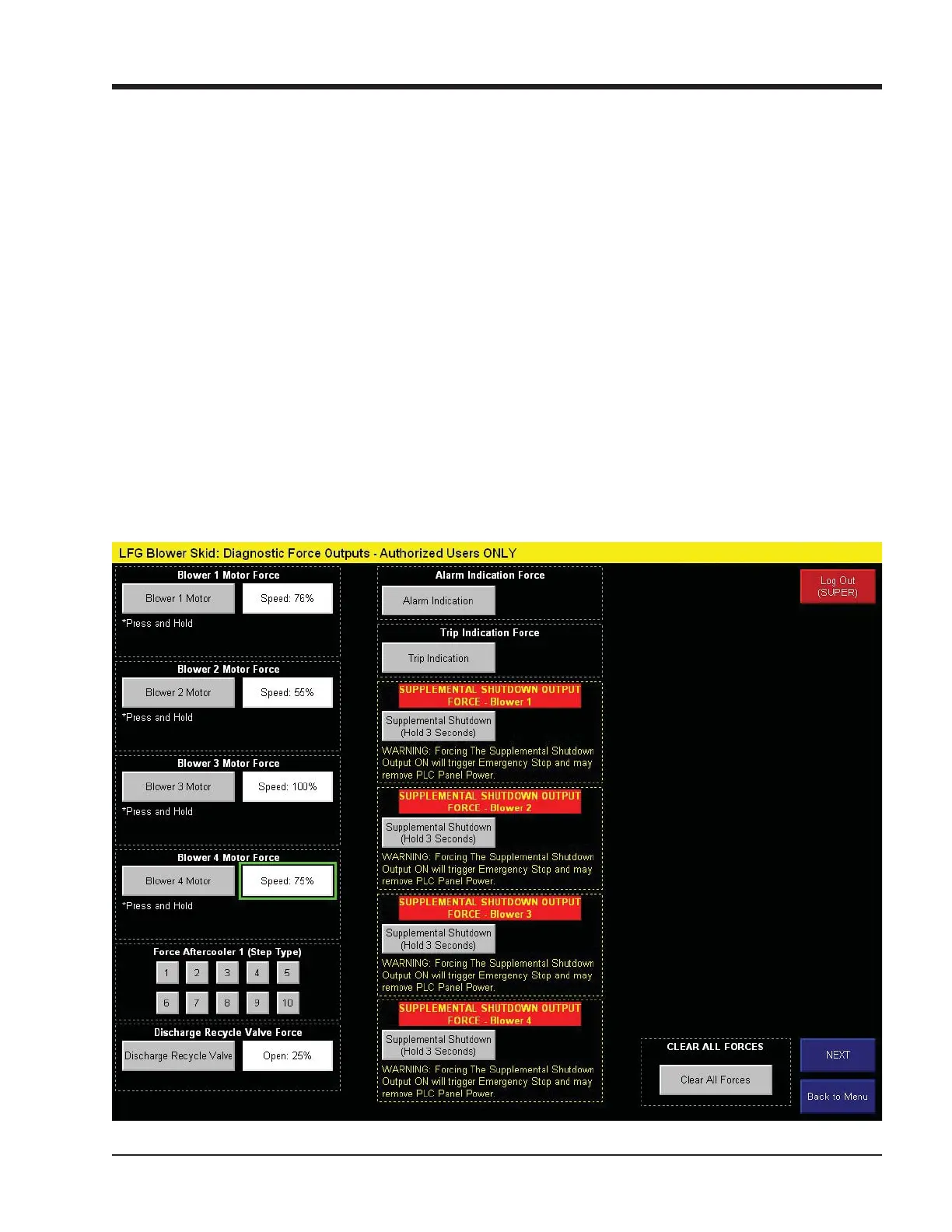
Diagnostics Forced Outputs Screen
Figure 10-3. Diagnostics Forced Output Screen
The force outputs screen allows a user logged in as
“SUPER” to force discrete and analog outputs to verify
operation of devices on the blower package. Outputs
that are available to force depend on the confi guration
for a specifi c blower machine or package.
• Pressing a force button forces ON the PLC output for
that particular device. If there is an associated ana-
log output (speed or position command) the keyed
in value will be applied to that output. Pressing the
force button again removes the force.
• Pressing “Clear all Forces” removes all active forces.



 To Next Page