the media player.
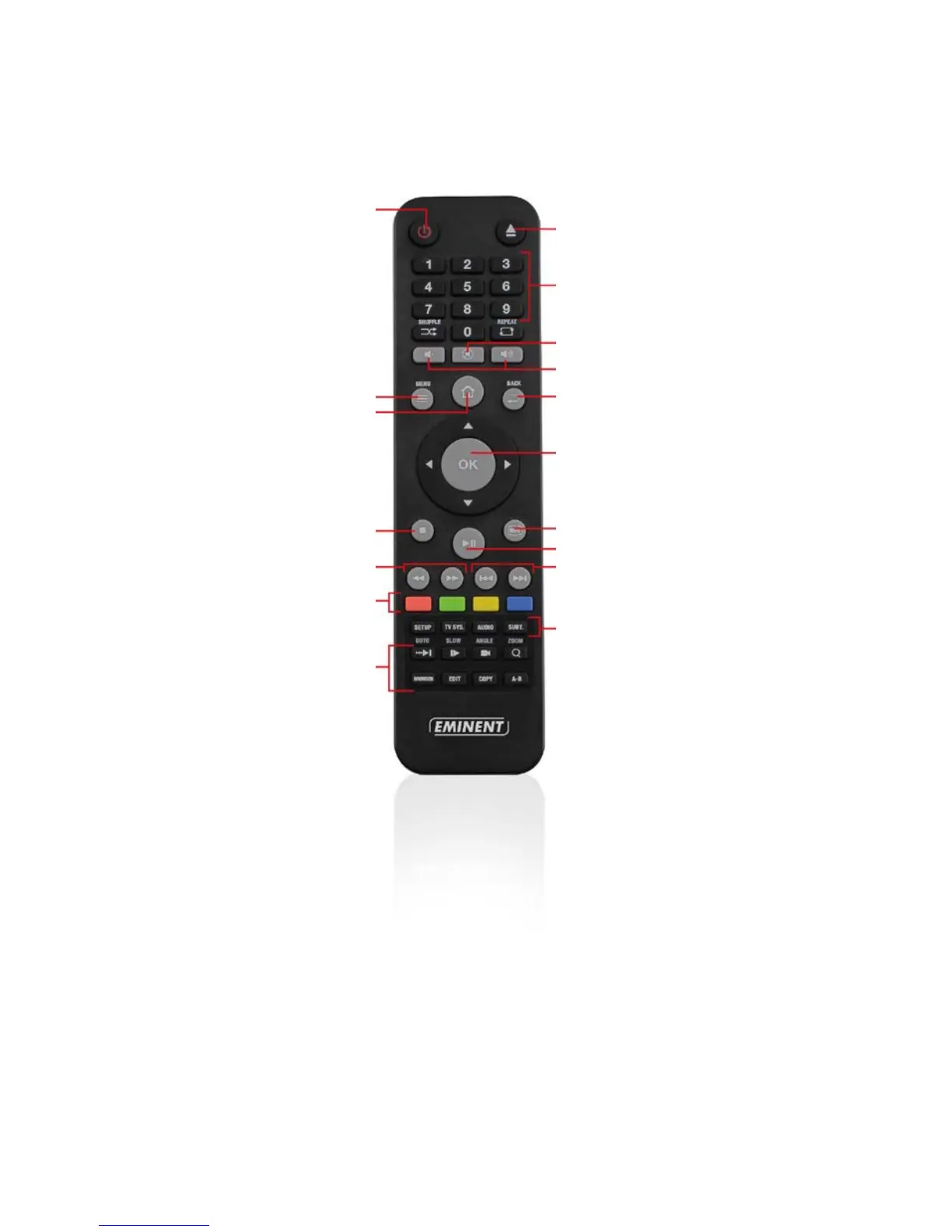
Menu: Opens a settings menu for
the media file playing.
Home: Return to the main menu.
Stop: Used to stop the played file.
REW/FFWD: Used to rewind or fast
forward the media file.
Colored buttons: Mainly used while
using the ‘File manager’ function.
Function buttons: Used to select
the zoom function, slow, Angle etc.
mounts
Numeric buttons: Mainly used to
jump to the corresponding chapter
number.
Mute/audio: Used to mute the sound.
Volume: Used to change the sound
volume.
Back: Return to a previous step.
Navigation: Buttons to navigate
through the menu options.
Info: Shows information about the
played file.
Play/Pause: Used to Play or Pause
the played file.
Previous/next: Used to select the
next (audio) file.
Setup buttons: Used to enter the
settings menu and change the
resolution, subtitle audio



 To Next Page