Getting Started
Power ON/OFF
To turn the unit ON, simply push and press down the OK button for two seconds.
NOTICE: The unit will start loading firmware which takes about 10 seconds. The unit
will "beep" in a steady pace and the LCD back-light will be lit during start-up. The unit
starts in Easy Find mode on the last selected satellite position.
To turn the unit OFF, push and hold down the Ok button for two seconds.
Power supply and battery
The Satlook Lite can be operated by an external power-supply through the VDC port,
using an external power-source (12v dc, max 1.2A). Connect the power-source and
hold down the ON button until the unit turns On. To turn the unit OFF when the unit is
fed by an external power-supply, simply disconnect the power-source.
Discharged batteries take about 14 hours to fully recharge. The recharging is
controlled by the units microprocessor and is indicated on the display. Please notice
that to obtain full capacity of new batteries it is necessary to fully charge and fully
discharge the battery-pack several times.
The meter has 8 x AA rechargeable NiMe batteries in the battery-compartment. Apart
from recharging the battery the unit does not need any particular maintenance. The
unit should be recharged when the battery is empty (indicated with a battery-indicator
symbol on the display. A fully charged battery is operational for about an hour
depending on the external LNB load.
How to use the meter
Start by connecting the meter to the LNB of the dish and then turn the meter On. (The
LNB setup needs to match the LNB in use – see page 8)
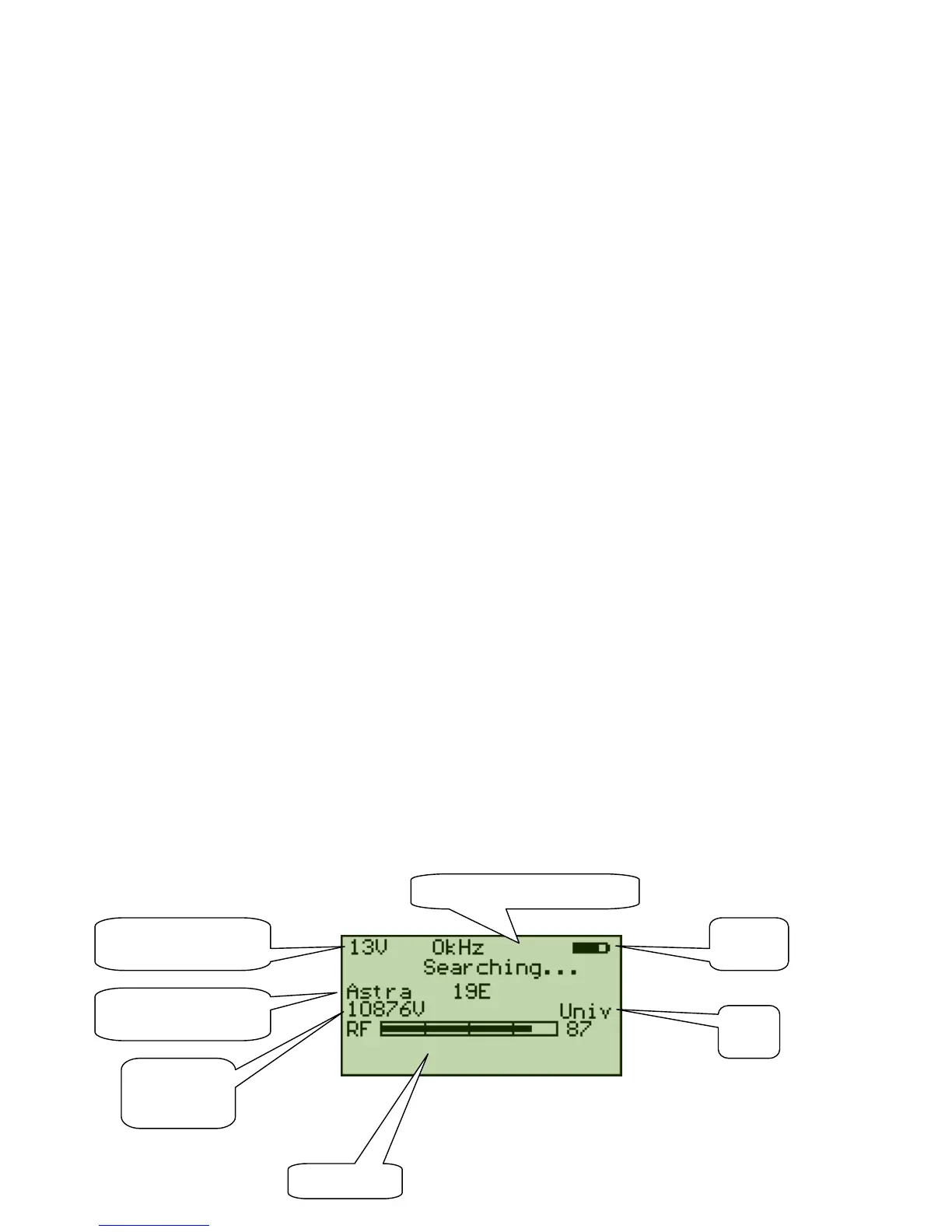
The instrument starts in the "EasyFind" mode which makes it easy to detect the satellite
desired.
The instrument has a preset list of satellites which can be selected by using the
Up/Down buttons. When a satellite is displayed, the meter immediately starts to
search for that satellite.
Signal Level
Selected Satellite and
Orbital Position
Frequency
and
Polarisation


 To Next Page