Spectrum
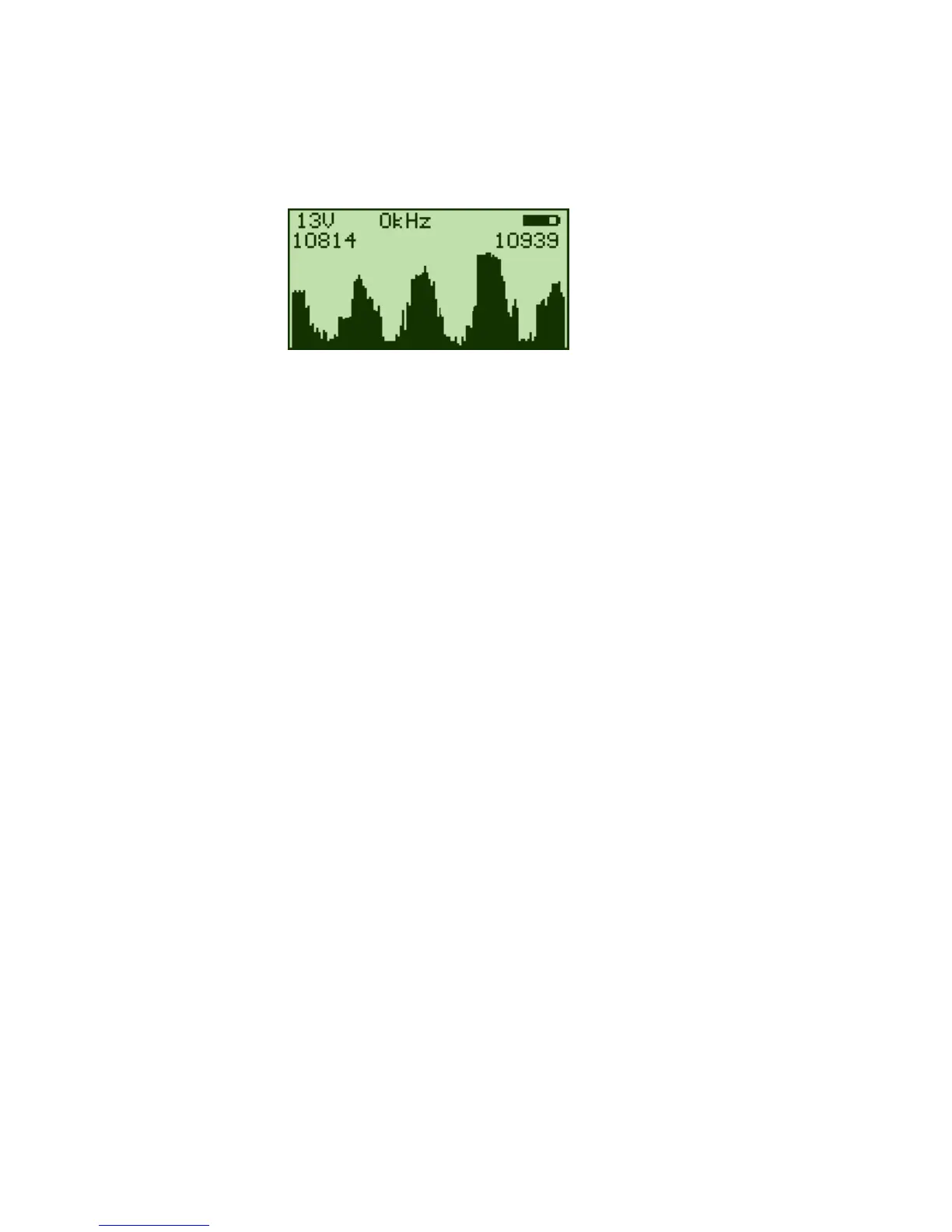
Pressing the "OK" button when the arrow “>” is pointing towards "Spectrum" displays a
spectrum.
On entry, the spectrum display shows a 125MHz band centered on the current
EasyFind satellite.
Pressing the “OK” button will exit to the Main Menu.
Pressing the “Up” button will cycle between 13V/18V and 13V/18V with the 22kHz
enabled and will show a full sweep across the IF bandwidth from to 2150 MhZ
Pressing the “Down” button will allow selection of DiSEqC signal LNB1, LNB2, LNB3,
and LNB4.


 To Next Page