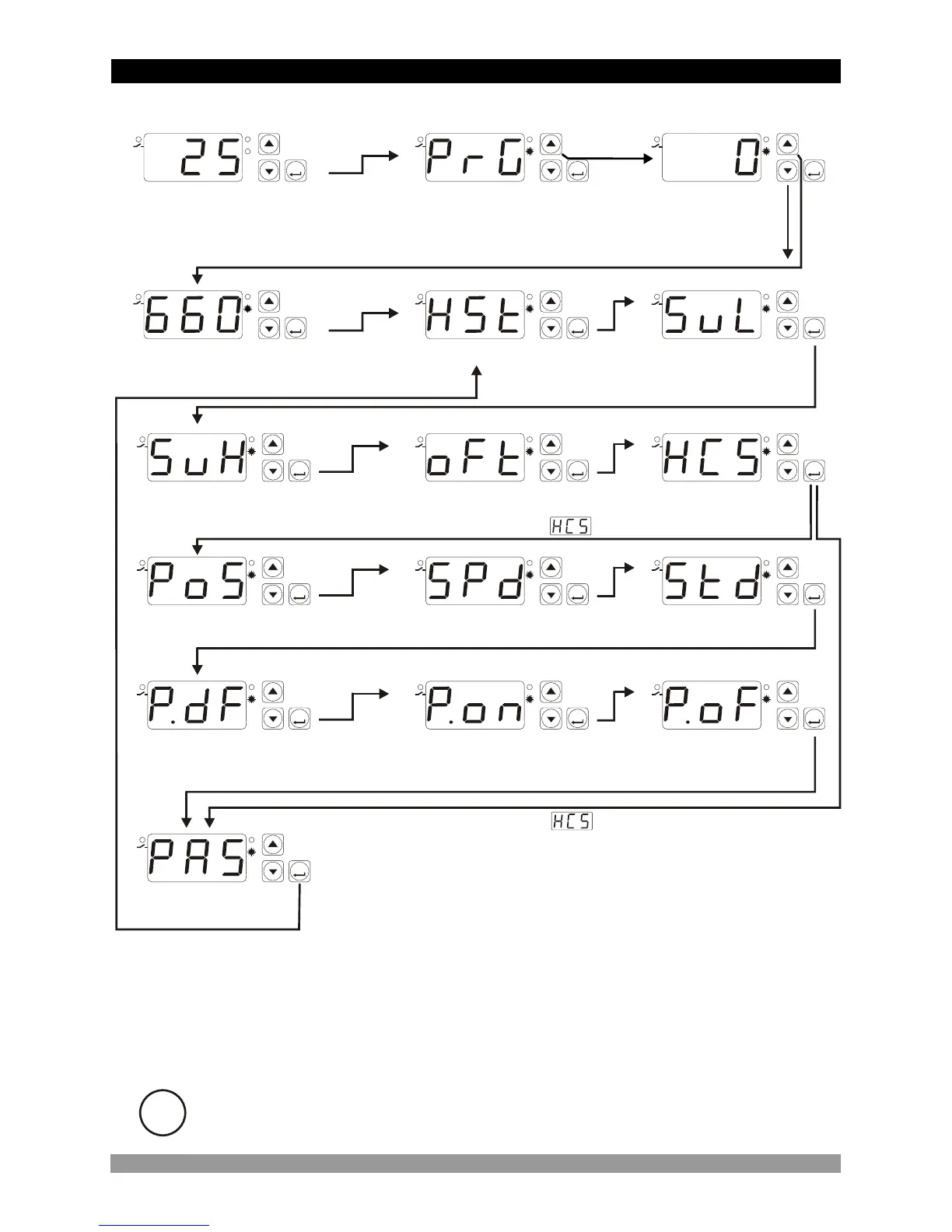
4.5 Easy Access Diagram Of Programming Mode Parameters
23
SET
°C
SV
P
SET
°C
SV
P
SET
°C
SV
P
SET
°C
SV
P
Hysteresis Parameter
Process Offset Parameter
Operating Type Parameter
SET
°C
SV
P
SET
°C
SV
P
SET
°C
SV
P
SET
°C
SV
P
SET
°C
SV
P
Switch On Delay After
Power On Parameter
Compressor Stop/Start
Time Delay Parameter
Compressor Start/Start
Time Delay Parameter
SET
°C
SV
P
SET
°C
SV
P
SET
°C
SV
P
Probe Defect Parameter
Compressor is active
during this time period
in case of probe defect
Compressor is inactive
during this time period
in case of probe defect
SET
°C
SV
P
5 secs
Password Entering
Screen
Main Operation Screen
SET
°C
SV
P
SET
°C
SV
P
Programming Mode
Entering Screen
Enter password with increment and decrement buttons
Press SET/OK button for
accessing parameters
SET
°C
SV
P
Programming Mode
Accessing Password
If Operating type parameter value = 1 (Cooling)
Password Entering
Screen
Minimum Set Value
Parameter
Maximum Set Value
Parameter
If Operating type parameter value = 0 (Heating)
i
If no operation is performed in Programming mode for 20 seconds, device turns to
main operation screen automatically


 To Next Page