© 2024 EMM Labs, All Rights Reserved. EMM Labs reserves the right to amend specifications & design without notice.
023
Network & Streaming
DA2i STEREO D/A CONVERTER OWNER’S MANUAL
Network & Streaming
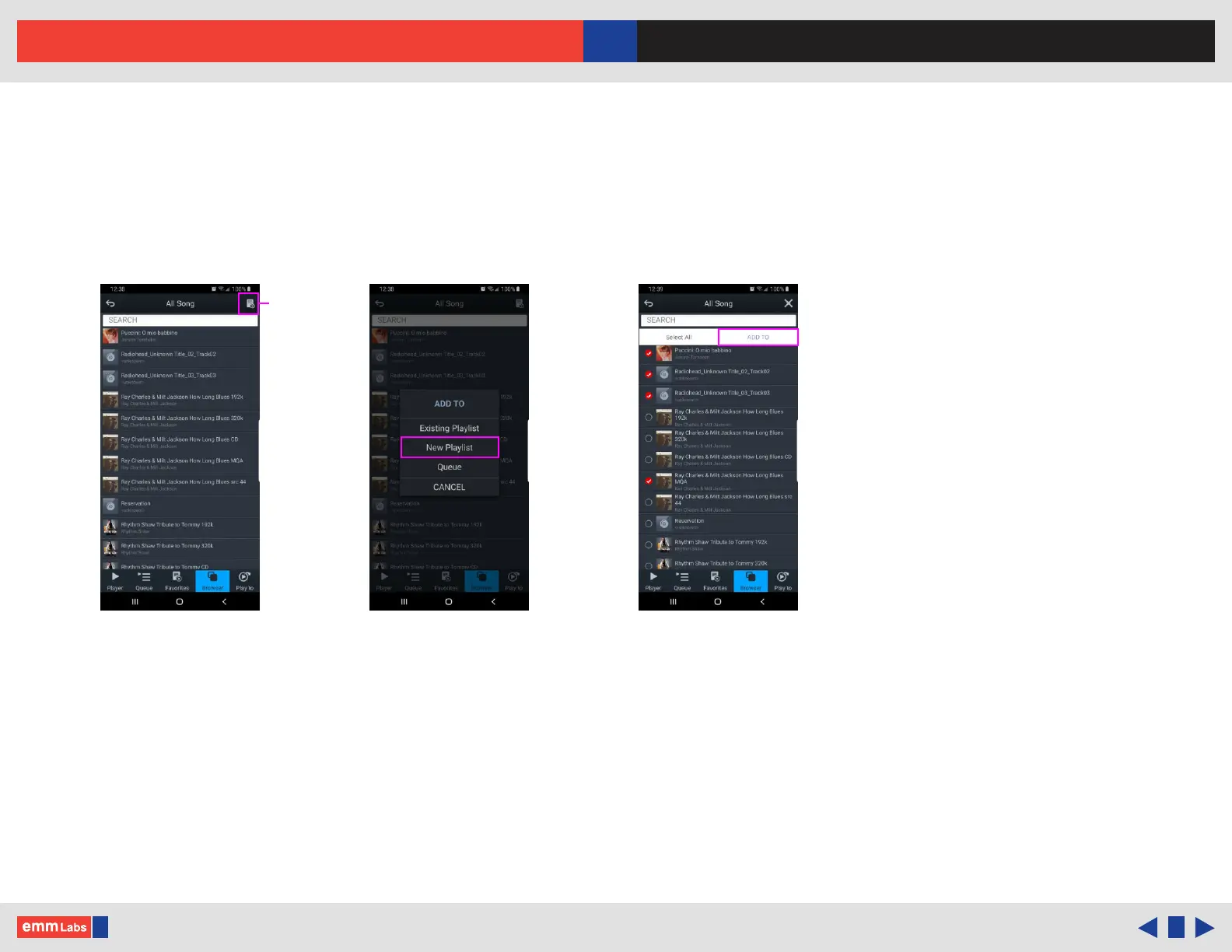
mConnect Control App - Making a Playlist
1. Example: select “My Music” from the browser menu then select “All Song”. Select
the playlist function located in the top right. Select “New Playlist” and name it.
2. e display will show the le selection option to the le of the audio les list.
Select the tracks and press the “Add To” button to add tracks to the specic playlist.
3. You can also add tracks to a specic playlist using “Artist”, “Album”, by using
the folder option and/or using search functions.
4. Multiple playlists, pre-selected favorite folders and device specic playlists can be
created pressing “Favorites” button and accessing the favorites and playlist
functions.
Playlist
function
Create new playlist Select and “ADD TO”“All Song” page



 To Next Page