ENEN
17
4. FIRST START-UP
SERVICE
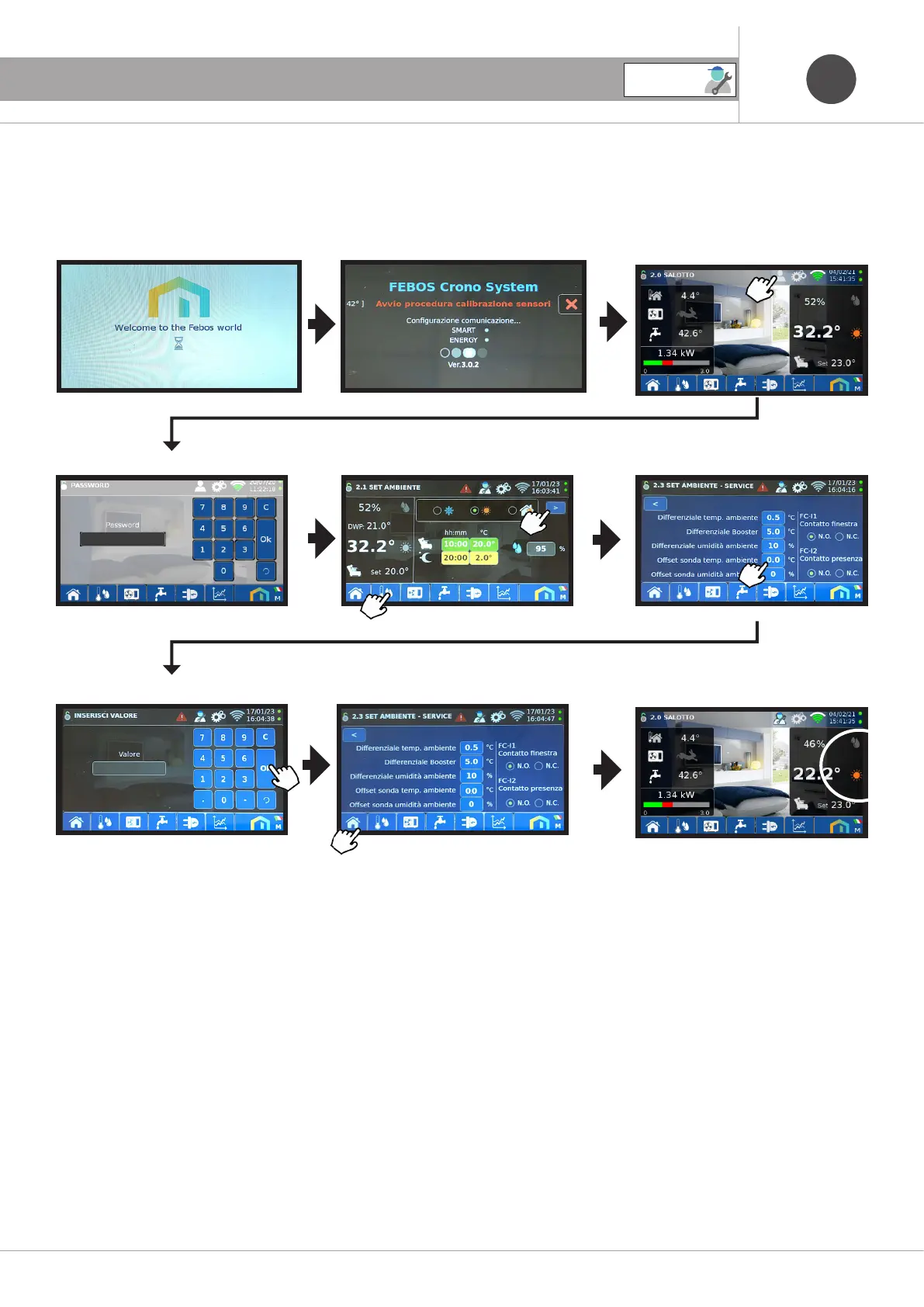
4.5 Temperature sensor CALIBRATION procedure and ambient humidity
Note: the following procedure can only be performed by a qualified Technical Assistance Center (TAC) when starting up the system for the
first time. the screens will be in English if the display is cast in the language.
Enter password: #### (service)
Enter the offset value -12
Note: to improve the measurement of the temperature and humidity of the device, carry out the steps listed
1 - Have a professional instrument (thermometer and/or hygrometer),
2 - Position it near the same (FEBOS)
3 - Wait at least one hour without performing any activity on the Febos-crono screen,
4 - Align the temperature / humidity value displayed on the FEBOS, by varying the offset values of the temperature probe
and the humidity offset as described above
End of calibration



 To Next Page