ENEN
20
5. SETUP
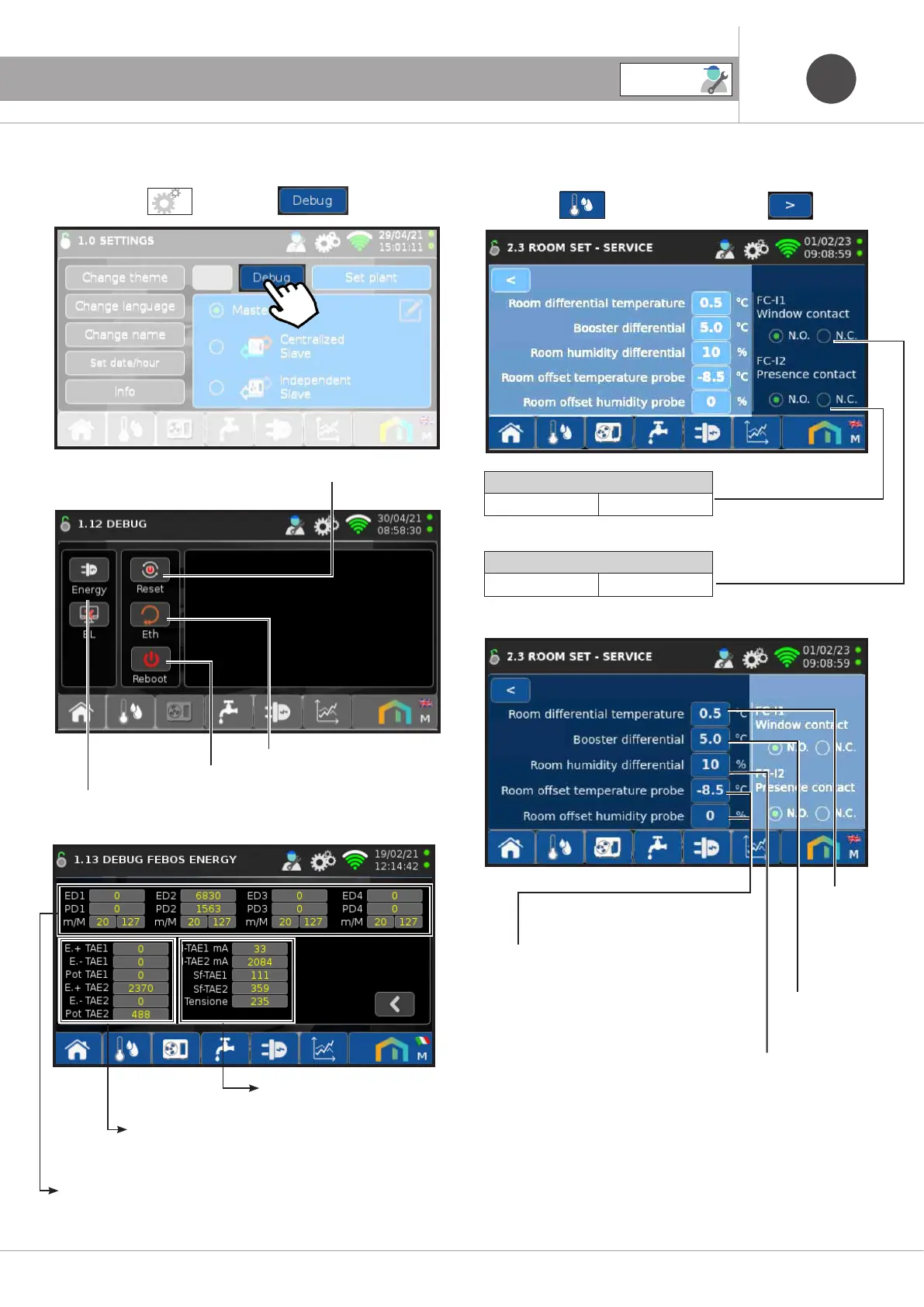
5.2 Screen - 1.12 DEBUG
Press the icon then the icon
Press to reset the Factory configuration (the graphs are also reset)
Press to restore WiFi related addresses
Press to restart the system
Press to access the screen 1.13 FEBOS ENERGY DEBUG
Press the icon and scroll through the screens until 2.3.
5.3 Screen 2.3 ROOM SET - SERVICE
Window contact configured:
Normally open. Normally closed.
Presence contact configured:
Normally open. Normally closed.
5.2.1 Screen - 1.13 FEBOS ENERGY DEBUG
ED1/2/3/4: Pulse counter energy DIE1/2/3/4
PD1/2/3/4: Pulse counter power DIE1/2/3/4
m/M: min/max impulse length
E+ TAE1/2: Energy to + TA1/2
E- TAE1/2: Energy to - TA1/2
Power TAE1/2: TA1/2 power
I-TAE1/2: Current TA1/2
Sf-TAE1/2: TA1/2 offset
Febos-Energy voltage
5.3.1
Differential
temp. environment
5.3.2
Differential
Boosters
5.3.3
Differential
ambient humidity
5.3.4
Temp probe offset
environment and Probe offset
ambient humidity
SERVICE



 To Next Page