ENEN
27
6. GENERAL USER SETTINGS
6.1 Screen lock
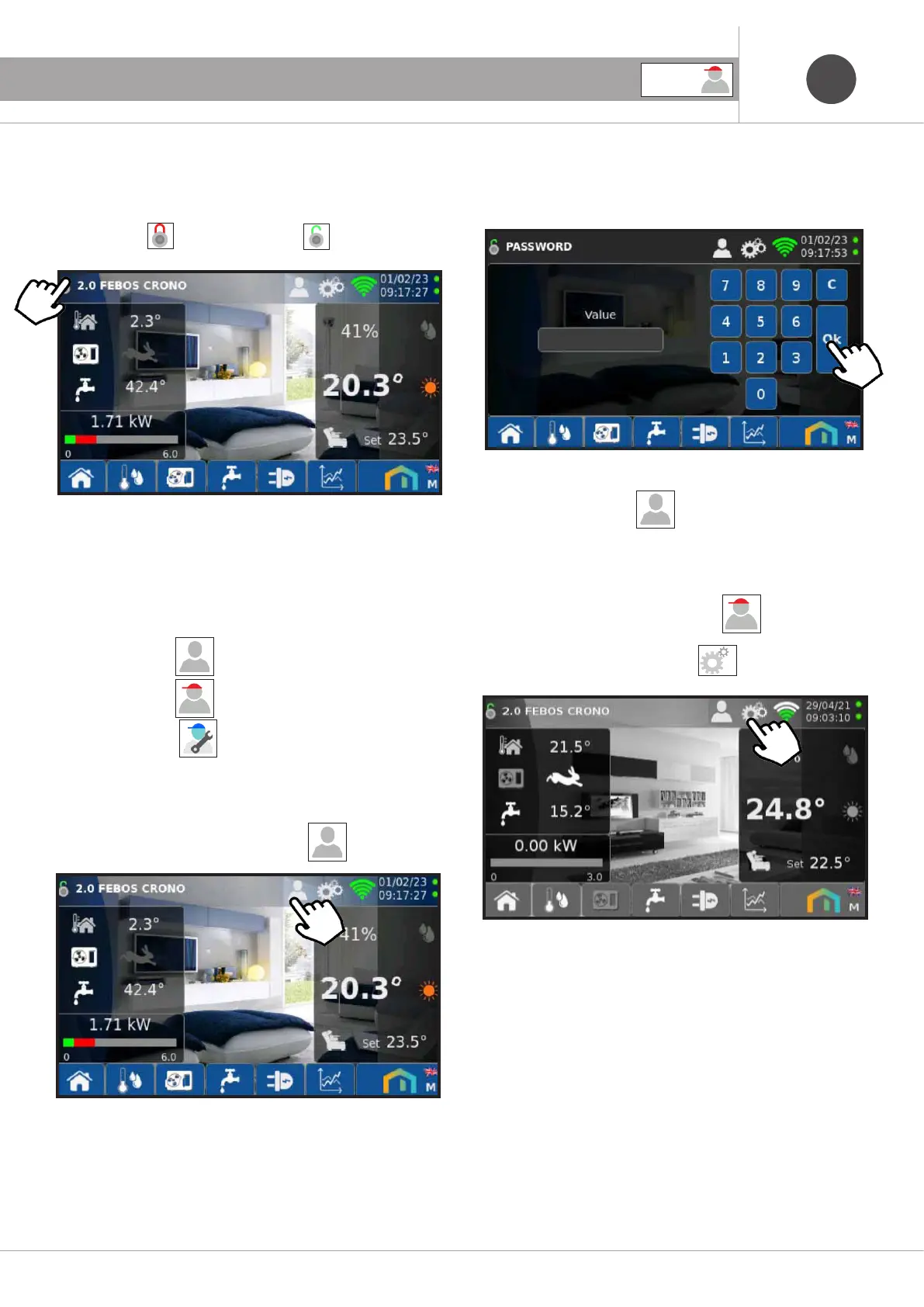
Screen lock function is available, for example to clean the screen,
or to prevent children from using the screen. Press the lock for a
few seconds to
activate or deactivate the lock.
6.2 Access levels
The display of the screens, the settings and the modification of
the parameters are available on three levels of access:
·Guest access level , default without password.
· User access level , with
password 2022
Service access level , with the password supplied
during the Emmeti course.
To change the access level press the icon
Enter the password, then press Ok.
Note: after 2 minutes of inactivity of the touchscreen the access
level will return to Guest
6.3 Settings
For the following screens log in as User
pass: 2022
Press the icon to access the settings.
USER



 To Next Page