28
ENEN
6. GENERAL USER SETTINGS
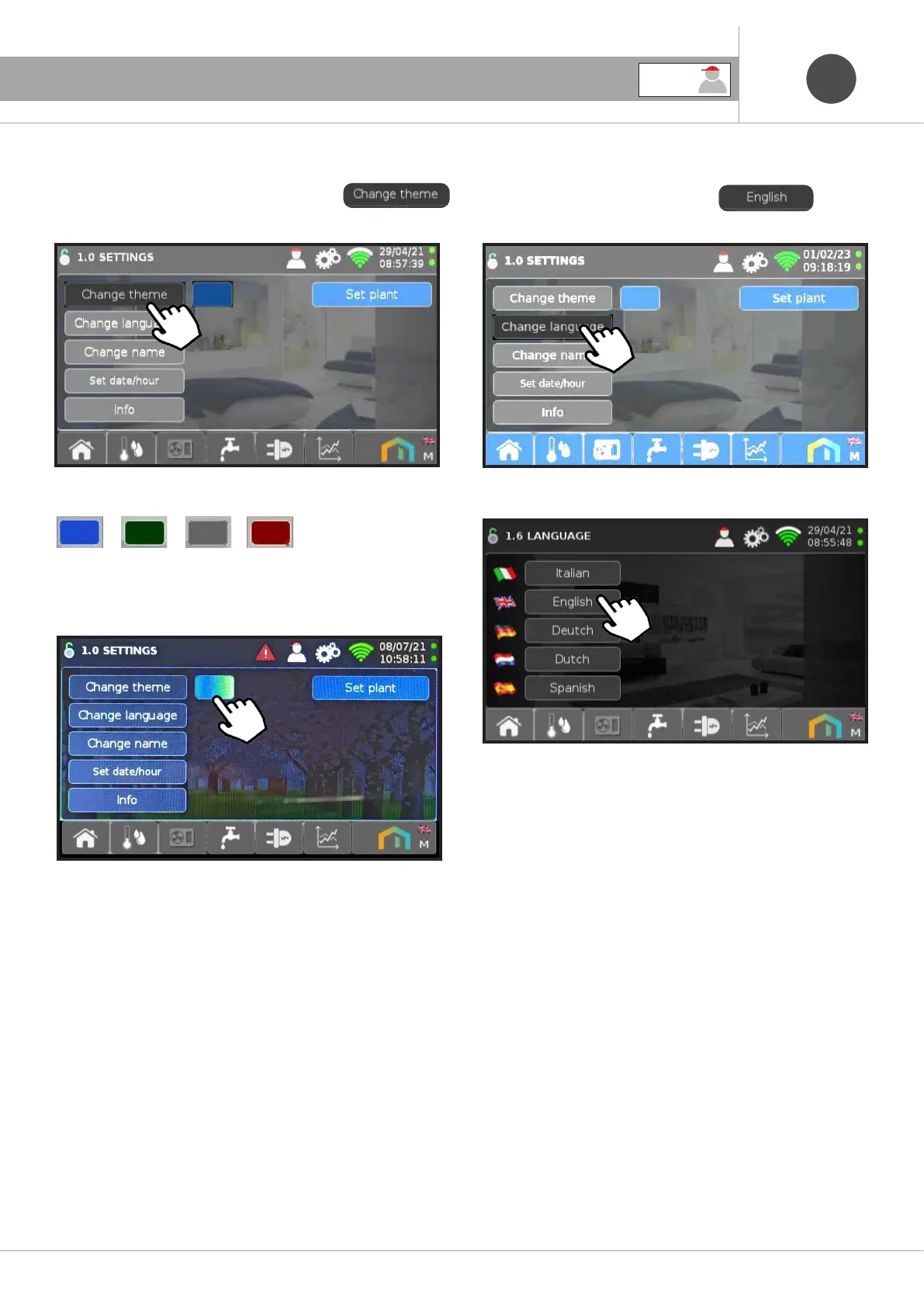
6.3.1 Change of theme as desired
To change the background colors press the icon
Below are some examples of Blue, Green, Grey and Red:
6.3.3 Language change
To change the language press the icon
Then choose the language you want.
Colors available
6.3.2 Theme change
To change the background theme, press the icon
Themes available
Home living room, Winter, Spring, Summer and Autumn
USER



 To Next Page