29
ENEN
6.3.4 Name change
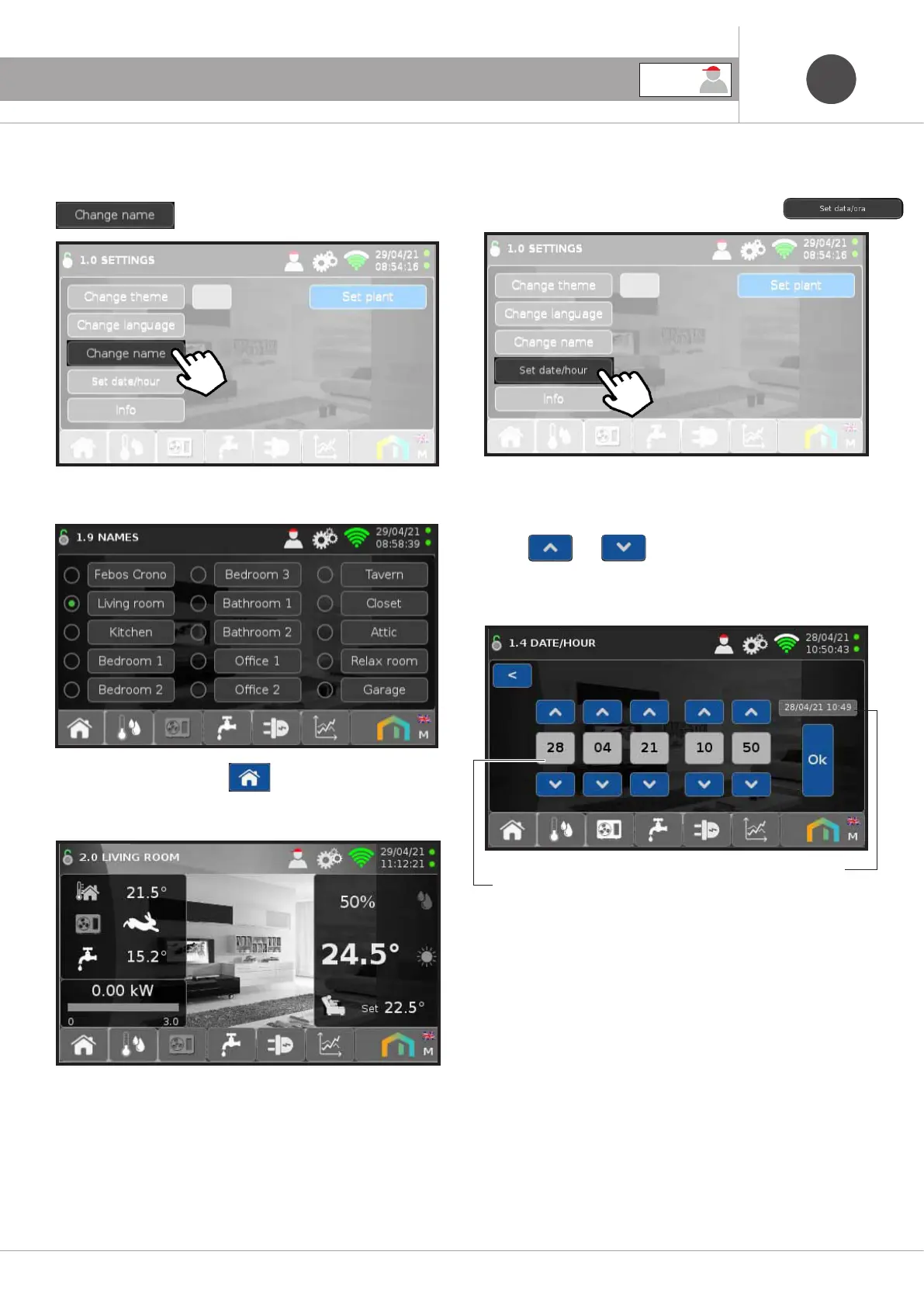
To change the name associated with Febos-Crono press
6. GENERAL USER SETTINGS
Then choose from the available names.
Returning to the main screen , at the top left, the name
chosen for Febos-Crono will be displayed.
NOTE:
In cases where more than one Febos-Crono is installed in the
same home, it is particularly useful to associate a different name
to each device, in order to identify it uniquely.
6.3.5 Date/Time Change
To change the date and time of the Febos-Crono press
Change the date and time of the Febos-Crono by pressing the
arrows
and then press Ok.
The date and time of the Heat Pump will be automatically aligned
with that of the Febos-Crono.
Febos Crono Date and Time
Colour pump Date and Time
NOTE:
If the Febos-Crono is connected to the Internet, the date and time
are automatically updated.
At the first power on, the date and time flash until they are updat-
ed.
USER



 To Next Page