ENEN
31
6. GENERAL INFORMATION
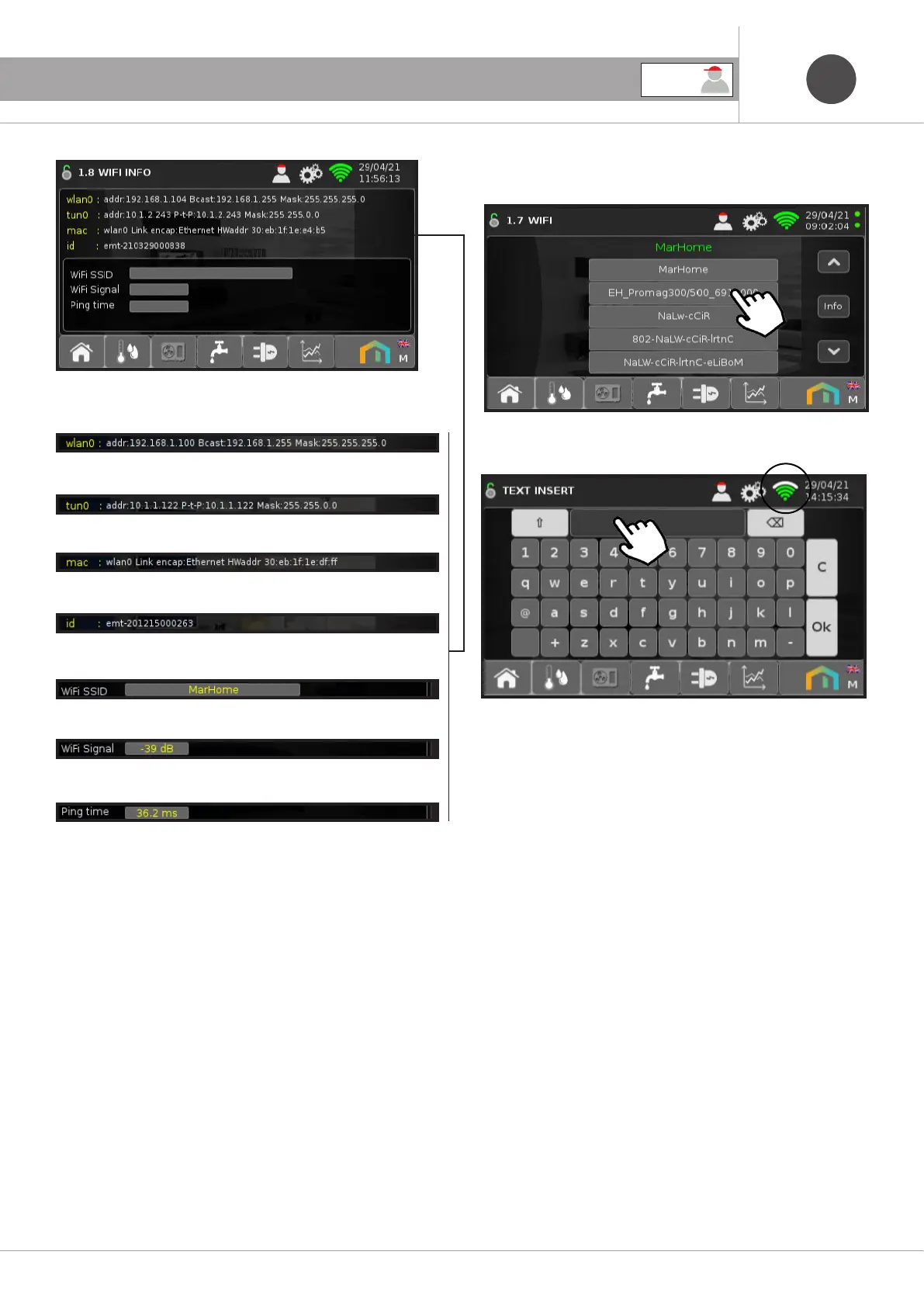
Router address
VPN server address
WiFi Mac Address
Device number
WiFi network name
Signal between Febos-Crono and router
Outward signal
If the password has been entered correctly, the WiFi icon will turn
green and indicate the signal strength.
Then enter the password and press OK.
NOTE: If the Febos-Crono is not connected, select the WiFi net-
work from those available.
USER



 To Next Page