32
Frost Protection
The thermostat can be made to o er frost protection. After enable this function, the
set-point temperature become 5 °C (41 °F).
To activate the frost protection, press and hold COMF/ECON buttons for 1.5 seconds.
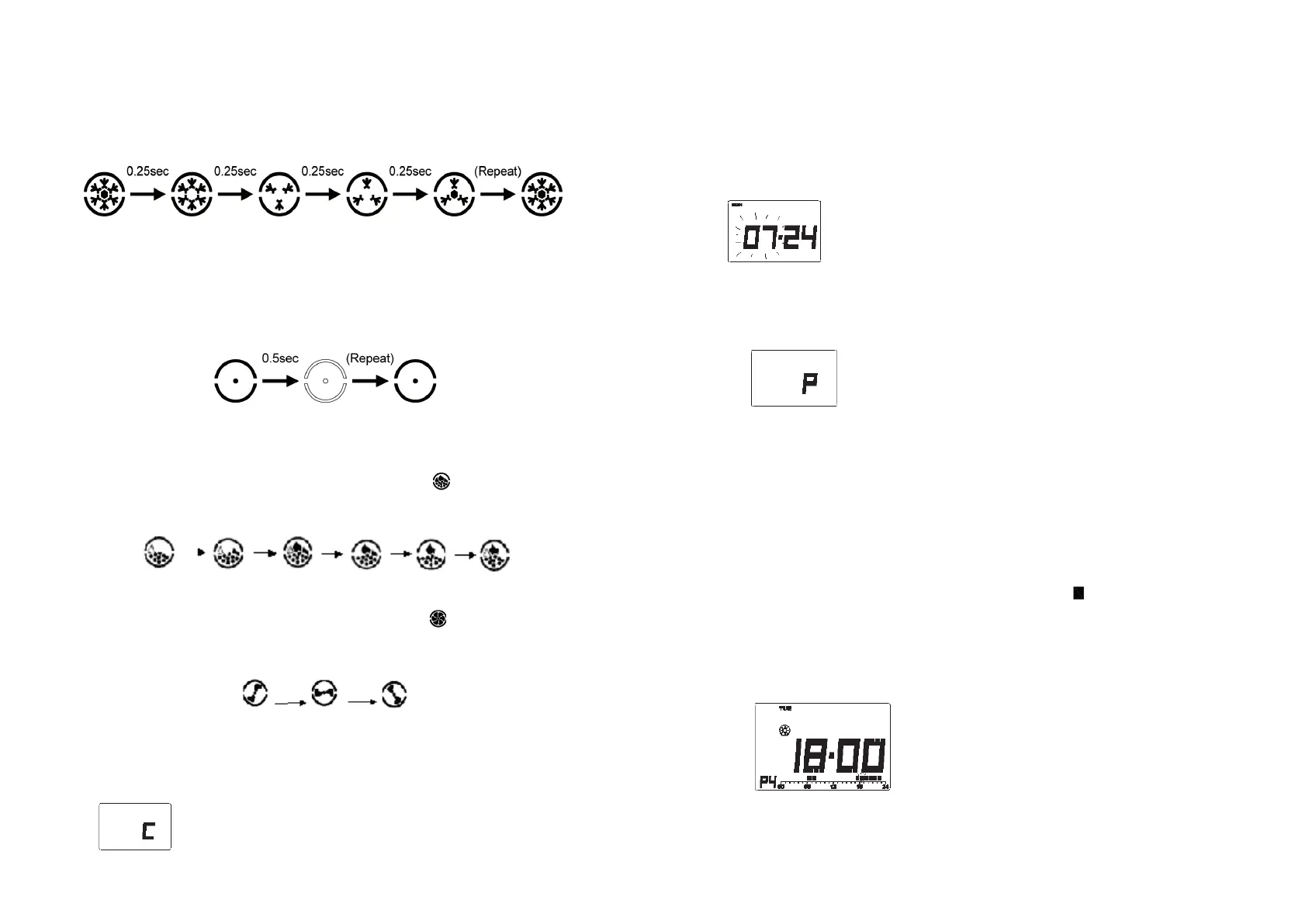
Frost protection indicator is animating as below to indicate that the frost protection
function is activated.
Cooling function
ST201 o ers the selection of using the devise in cooling system. In this case, turning the
“Heat/Cool” switch to on position to activate the Cooling. In the case of cooling, PWM is
switched o automatically. Press green button to toggle between o mode and normal
operation. Cool mode indicator is animating as below to indicate o mode is set.
Heating/Cooling Operation
Heating operation
When the thermostat control heating system. Heating icon will be displayed. The
heater will be turned on when the room temperature is lower than the set-point tem-
perature, and the heating indicator is animating as below sequences.
Cooling operation
When the thermostat control cooling system, cooling icon will be displayed. The
Cooling system will be turned on when the room temperature is higher than the set-
point temperature, and he cooling indicator is animating as below sequence.
Programming
Set the time & day
1. In normal mode, press and hold SET button for 4 seconds, until LCD display “C”
(Clock)
33
2. Release SET to enters clock setting mode, the clock freezes and the center dot does
not ash.
3. Hour is ashing, press “U” or “V” button to adjust
4. Press SET to change to minute. Press “U” or “V” button to adjust
5. Press SET to change to day. Press “U” or “V” button to adjust
6. Press SET again to save and exit or it will return to the front screen after 15 se-
conds.
At any time press OK or wait 15 seconds will return to Normal mode.
Setting program
There are altogether 9 programs. All programs are user changeable.
1. In normal mode, press and hold SET button for 7 seconds, until LCD display “P”
(Program)
2. Release SET to enters Program setting mode.
3. Press SET to select the day to program.
Day is changing in the sequence: “MON”, “TUE”, “WED”, “THU”, “FRI”, “SAT”, “SUN”,
“MON – FRI”, “SAT – SUN” and “MON – SUN”.
If the Program day option is set to “5 – 2”, then the day selectable are “MON – FRI”,
“SAT – SUN” and “MON – SUN”.
The program data display changes accordingly.
4. Press PROG to change the program. Program is selectable form 1 to 9.
5. To edit the program, press “U” or “V” to move the cursor. The Time and Temperature
mode indicators change accordingly. Then, the black dot start ashing, meanwhile
there is a digit displays the hour of being program.
6. Press COMF/ECON to toggle the temperature mode between Comfort and Econ.
The Temperature mode indicator changes accordingly.
Below example shows Program 4 is assigned to Tuesday. The cursor is moved to
18:00 and at 18:00 the temperature mode is Comfort
7. For day group, program data display will be cleared if the program of the days is
not the same.


 To Next Page