Need help?
Do you have a question about the Emotiva USP-1 and is the answer not in the manual?
Ensuring proper grounding and polarization to prevent electric shock.
Adherence to NEC standards and safe installation practices for wiring.
Importance of grounding antennas to prevent lightning damage and shock.
Instructions for safely removing the USP-1 from its packaging.
List of items included in the USP-1 package.
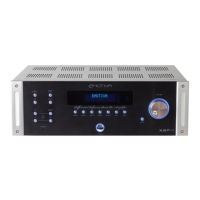
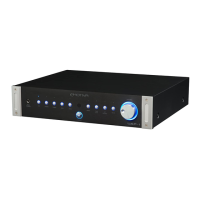
Explanation of illuminated LEDs indicating selected functions and remote commands.
Description of the 1/4" gold-plated headphone output on the front panel.
Button to select the CD player as the audio input source.
Button to select the turntable as the audio input source.
Button to select the tuner as the audio input source.
Button to select the AUX1 input for audio devices.
Button to select the AUX2 input for audio devices.
Window for receiving remote control signals for USP-1 operation.
Button to combine left and right audio channels into a mono signal.
Connects an external recording device via RCA outputs and inputs.
Bypasses preamp functions for pass-through to a home theater processor.
Button to mute the audio output of the USP-1.
Adjusts volume manually or via remote control.
Provides ON/OFF control, with status indicator light.
Mono 3.5mm output to remotely trigger other devices.
Connects turntable, includes ground and MC/MM cartridge selection.
Inputs for CD, Tuner, and Auxiliary audio devices.
Connects external recording devices via RCA connections.
Connects to home theater processor for bypass mode.
Rotary control for subwoofer low pass filter frequency (50Hz-250Hz).
XLR output for connecting a subwoofer.
Standard RCA output for connecting a subwoofer.
Rotary control for speaker high pass filter frequency (50Hz-250Hz).
RCA outputs for left and right speakers with high pass filtering.
RCA outputs providing full frequency range to speakers.
Rocker switch for master power control of the USP-1.
Standard IEC power cord connection.
Buttons to turn the USP-1 on and off.
Controls for adjusting volume levels.
Buttons to select audio source inputs.
Buttons for Mono, Tape, HT Bypass, and Mute functions.
Instructions for replacing the remote control batteries.
Detailed view of bass management controls and outputs.
Outputs providing full frequency range to speakers.
Crossover filters for subwoofer and speakers.
Recommended setting for full-range speakers.
Setting for full-range speakers plus a subwoofer.
Guidance on using the USP-1's low pass filter with a subwoofer.
Connecting a turntable to the PHONO input.
Connecting a CD player to the CD input.
Connecting a tuner to the TUNER input.
Connecting various audio devices to AUX inputs.
Connecting external recording devices to the TAPE loop.
Connects to home theater processor for bypass mode.
Connecting devices for 12VDC remote triggering.
Solutions for absent sound from speakers.
Troubleshooting low bass output issues.
Resolving intermittent audio during playback.
Fixes for a non-functional remote control.
Diagnosing unexpected amplifier shutdown.
Solutions for amplifiers not powering off remotely.
Identifying and resolving system hum caused by ground loops.
Addressing noise issues from electrical interference or AC lines.
Detailed audio performance specifications for the preamplifier.
Specifications for the high pass and low pass filters.
Specifications for trigger output, power, and dimensions.
Physical dimensions of the USP-1 unit.
Copyright and product improvement disclaimers.
Details of the five-year warranty and exclusions.
Procedure for obtaining repair service and RMA number.

 To Next Page
 General