Need help?
Do you have a question about the Emotiva XSP-1 and is the answer not in the manual?
Explains critical safety warnings and symbols for safe operation and installation.
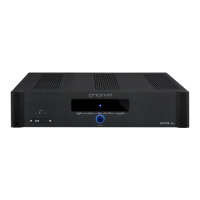
Introduces the XSP-1 as a reference-caliber, fully balanced, analog stereo preamplifier with key features.
Provides guidance on reading the manual for optimal understanding and record keeping.
Lists the advanced features of the XSP-1, including sound quality, connectivity, and convenience.
Guides users on safely unpacking the XSP-1 and retaining packaging materials.
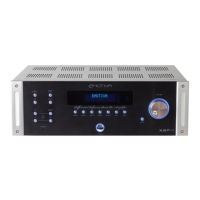
Adjusts display and halo illumination brightness levels on the front panel.
Routes source directly to main outputs, bypassing all controls.
Enables routing audio through an external processor or tape monitor.
Bypasses high-frequency and low-frequency trim circuitry for pure analog signal.
Vacuum fluorescent display shows status, input selection, and volume levels.
Controls main output and headphone volume independently with recall memory.
Allows fine adjustment of high and low frequencies by +/- 3 dB.
Provides high-quality headphone output for various impedance headphones.
Toggles the unit between On and Standby modes, indicated by halo color.
Selects audio sources, remembering the last input when powered on/off.
Mutes main and headphone outputs; volume adjustment cancels mute.
Sets a limit for the volume level upon startup for safety.
Duplicates all front panel button functions for convenient operation.
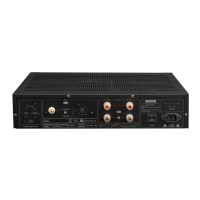
Accepts balanced line level signals up to 6V RMS for optimal audio quality.
Accepts unbalanced line level signals up to 3V RMS, color-coded for left/right channels.
Connects external processors or serves as an additional input/output.
Provides ground connection and connects turntables with MC/MM cartridges.
Adjusts input impedance and selects gain for MC/MM cartridges.
Configures main outputs for full range or high-pass signal for bass management.
Sets cut-off frequencies for high-pass (main) and low-pass (subwoofer) filters.
Configures subwoofer outputs for full range or low-pass signal for bass management.
Allows IR control signal input and output for remote operation.
Automates power On/Off with other trigger-enabled equipment.
Shows detected AC line voltage for proper operation.
Connects home theater sources and links to amplifiers for bypass mode.
Connects to powered subwoofers, supports full/low pass signals and summed output.
Controls main AC power and provides the connection for the power cord.
Basic steps to get the XSP-1 operational for initial listening.
Connects line level unbalanced and balanced sources to the XSP-1.
Connects turntables to the Phono Input, setting MC/MM and impedance correctly.
Links XSP-1 outputs to power amplifiers and subwoofers, configuring bass management.
Integrates external processors for signal modification via the loop.
Manages power state synchronization and remote control via trigger and IR.
Integrates XSP-1 with home theater systems for seamless audio switching.
Covers line voltage detection, AC power switch, and standby operation.
Manages main and headphone volume independently with recall memory.
Explains the default balanced signal path mode.
Sets a limit for the volume level upon unit startup.
Details mute functionality and remote control operations.
Details how to adjust high and low frequencies by +/- 3 dB.
States that the XSP-1 requires no periodic maintenance or calibration.
Provides guidelines for gently cleaning the unit with soft rags and mild solutions.
Lists signal path, channel count, and all input/output types.
Details bass management features and crossover frequency settings.
Provides details on frequency trims and overall frequency response.
Details gain, frequency response, and signal-to-noise ratios.
Quantifies harmonic, intermodulation distortion, and crosstalk levels.
Details specifications for moving coil and moving magnet phono inputs.
Lists trigger, IR, front panel, and rear panel control features.
Specifies voltage, power consumption, and physical dimensions of the unit.
Addresses issues related to lack of power or output, checking connections and switches.
Clarifies input selection differences and headphone/speaker volume memory behavior.
Helps resolve issues with bass management crossovers causing audio gaps or overlap.
Outlines what the warranty covers, its five-year term, and transferability.
Explains repair/replacement policy and lists conditions not covered by the warranty.
Details the steps required to make a warranty claim, including contact and RMA.
Explains how state law affects warranty rights and variations.
States manual accuracy at publication time and Emotiva's right to change products.
 General
| Type | Stereo Preamplifier |
|---|---|
| Input Impedance | 47k Ohms |
| Output Impedance | 100 Ohms |
| Power Consumption | 30 watts |
| Signal to Noise Ratio | > 120 dB |
| Gain | 12 dB |
| Inputs | Stereo RCA, Stereo XLR |
| Outputs | 2 x RCA, 2 x XLR |
| Maximum Output Voltage | 10V RMS |

 To Next Page