Need help?
Do you have a question about the Emotiva Gen 2 XPA-5 and is the answer not in the manual?
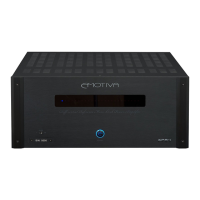
Window displaying status LEDs for the amplifier.
Connectors for receiving and sending trigger signals for power control.
Gold-plated five-way binding posts for speaker connections.
Guidelines for connecting speakers using the binding posts.
How to connect audio sources using balanced or unbalanced inputs.
Explanation of trigger connections for power control.
Steps to follow to obtain warranty service.
 General
| Channels | 5 |
|---|---|
| THD+N | < 0.1% |
| Input Sensitivity | 1.2V |
| Gain | 29 dB |
| Damping Factor | > 500 |
| Power Output (8 Ohms) | 200 Watts RMS per channel |
| Power Output (4 Ohms) | 300 Watts RMS per channel |
| Frequency Response | 20 Hz - 20 kHz + / - 0.1 dB |
| Signal to Noise Ratio | > 115 dB |
| Input Impedance | 33k Ohms |
| Dimensions | 17" x 7.75" x 19" (W x H x D, unpacked) |
| Trigger | 12V Trigger Input and Output |

 To Next Page