Select User’s Manual
47
Replacement PartsTroubleshooting
To s elf-test for any of the mentioned problems, perform the following steps:
1. Place new batteries in the device.
2. Verify the device is off.
3. Insert the lead wire into Channel 1 of the unit.
CORRECT
NOT CORRECT
4. Insert one new lead wire into two new electrodes.
5. Place the new electrodes on your forearm as shown in the figure below.
6. Turn your device on.
7. Select Continuous Mode. This is a continuous treatment program. The lights on the
device should be steady.
8. Slowly increase the intensity until you can feel it. If you do not fee
l any sensation, lower
the intensity to zero and rotate the lead wire 90 degrees. Slowly increase the intensity.
No sensation:
Call the repair department
Sensation is felt - even if weak:
Device is working properly. You may need to reposition
the electrodes or contact your clinician.
9. Repeat steps 1 through 8 for Channel 2.
The following replacement parts can be ordered from Empi at 1-800-328-2536.
Part Part Number
Select Kit 199584-001
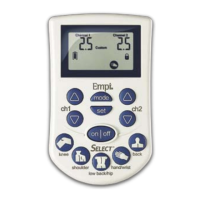
Select Device 199580-001
Carrying Case 199495-001
Premium Electrodes - 2” Round 198622-001*
Lead Wire, Safety Socket, TENS Black 193068-100
Lead Wire, Safety Socket, TENS Black
193057-150
Battery Charger, AA NiMH
User Manual
* There are several types and sizes of electrodes that can be used with the Select.
user_manual_NEW_BH_edit_r5.indd 46-47 3/3/08 2:08:50 PM
Battery, Rechargeable, AA NiMH – 4-pack
40 in (100 cm) in cable length, unshielded
60 in (150 cm) in cable length, unshielded
360357


 To Next Page