12
Connection
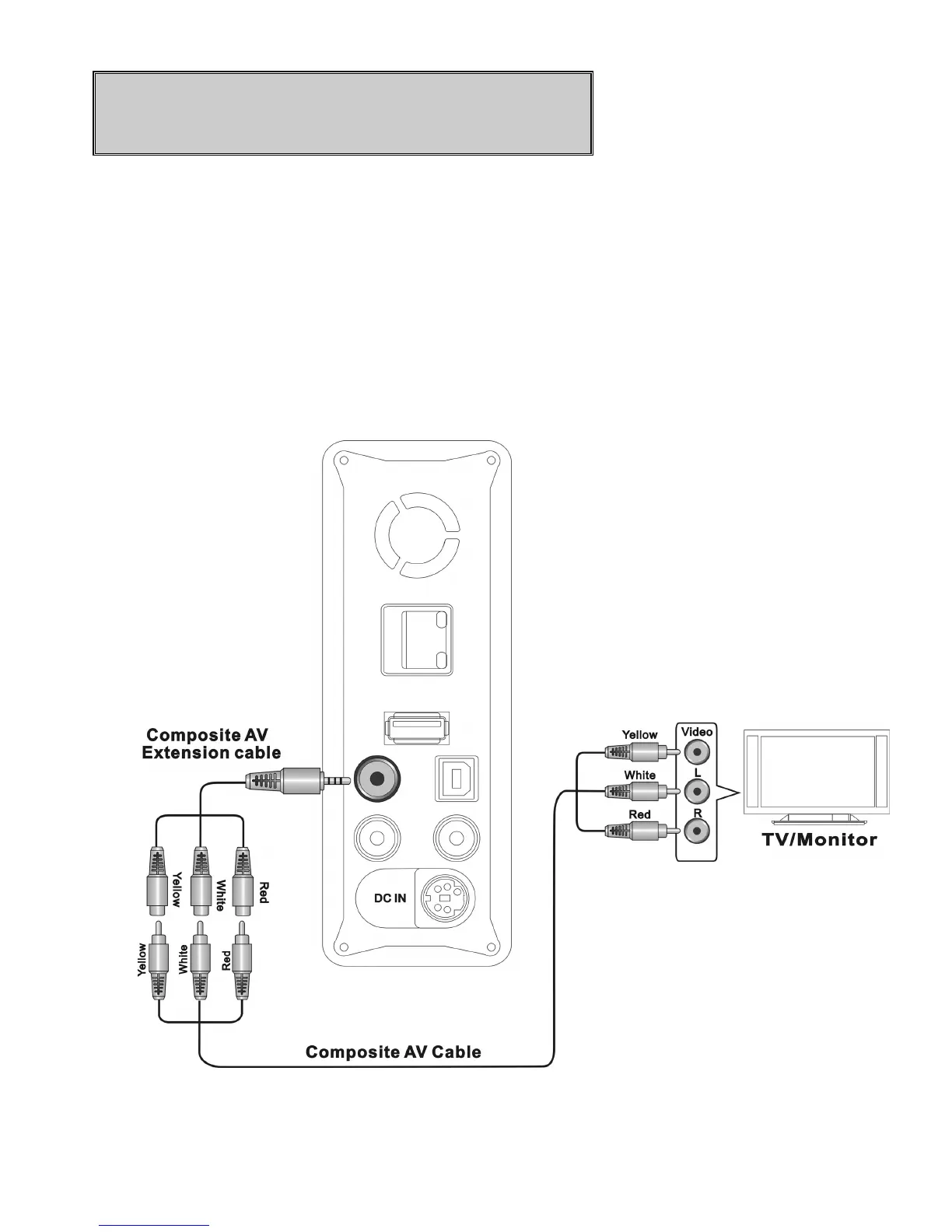
Connecting ME1 with TV or monitor
A. Composite audio and video output connection
Plug the black mini plug of the supplied composite AV extension cable into the
AV OUT
jack on ME1. Use the supplied composite AV cable to connect the
AV extension cable and AV input port on your TV or monitor. Be sure to
match the color of the plug with color of the jack on TV or monitor. ME1
supports NTSC and PAL video signal from the
AV OUT
jack.
Figure Composite AV OUT connection



 To Next Page