21
Note:
1. You can play video, browse photo, or play music when ME1 is in
recording. HD video can not be played when ME1 is in recording.
2. Some functions can not be operated when ME1 is in recording.
3. When recording is stopped, a red
will be displayed on the screen.
4. Please refer to the Advanced Operation chapter to change the
recording quality.
Time Shifting
Time shifting is a powerful function for you to enjoy the long video. Once the
time shifting is started, ME1 will buffer the input video in the background. You
can use PLAY CONTROL keys to pause, fast forward, and fast backward play
the video just like you are playing a recorded video.
When input video is played, in
Video In
mode, press
(PAUSE/TIME SHIFT)
key to start the Time Shifting function. " Live Pause: Preparing …"
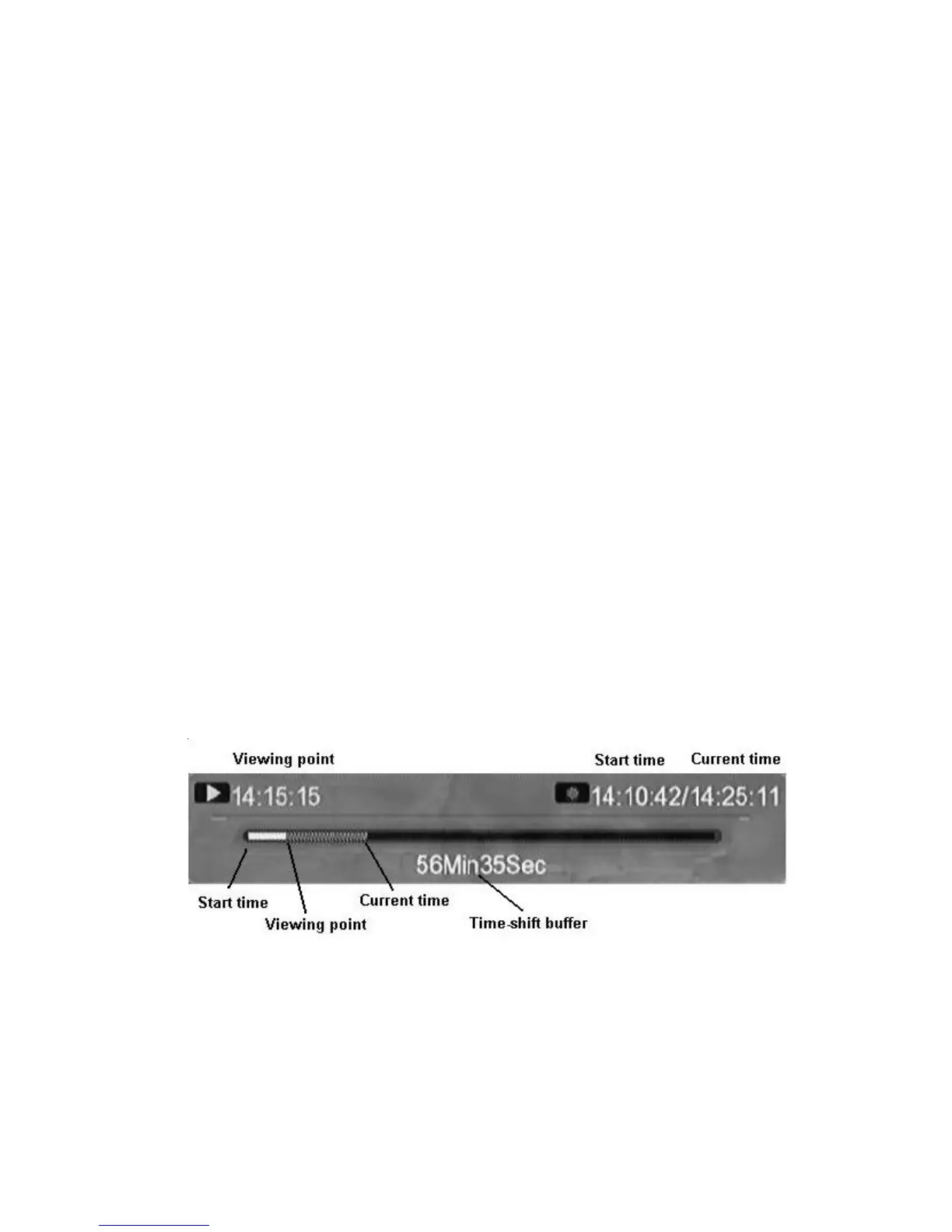
message will be shown on the top of the screen. Time shifting buffer
indication bar will be shown on the bottom of the screen.
Figure Time shifting buffer indication bar
When the "
Live Pause: Preparing …" message disappear, you can use
the
PLAY CONTROL
keys to operate time shifting function.



 To Next Page