EasyManua.ls Logo

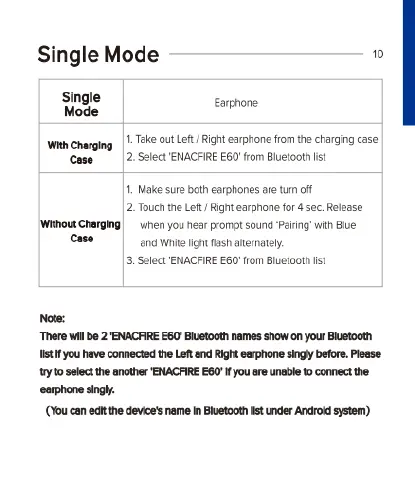
ENACFIRE E60 - Using Single Earphone Mode; Single Mode with Charging Case; Single Mode Without Charging Case

ENACFIRE E60
20 pages
Print Icon
To Next Page IconTo Next Page
To Previous Page IconTo Previous Page
Loading...
Single
Mode
0
Single
Eapnone
Mode
"
Wihe
1.Take
out
Left/ Right
earphone
from
the
charging
case
Cose
|
2
Select'ENACFIRE
E60'
from
Bluetooth
st
1.
Make
sure
both
earphones
are
tum
off
2
Touchthe
Left/
Right
earphone
for
4
sec.
Release
‘Without Charging
wihen
you hear
prompt
sound
Pairng
with
Blue.
Case
and
White
light
fash
aternately.
3.
Select
ENACFIRE
E60
rom
Bluctooth
st
Note:
There
wi
b
2
ENACRIRE
E60"
Buetooth
names
show
on
your
Bluetocth
st
you
have
comnected
the
Let
and
Right
carphone
singy
before
Plesse
1ry1o
selct
the
another
ENACFIRE
E60'fyou
sre
unable
to
connect
the
eorphone
singl.
(You
can
et
the
device's
name
in
Buetooth
st
under
Androld
system)

Related product manuals