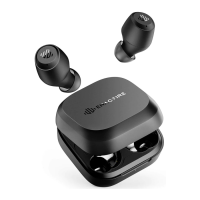
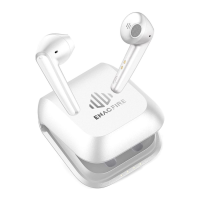
Need help?
Do you have a question about the ENACFIRE F1 and is the answer not in the manual?
Choose the suitable eartip size for a comfortable and secure fit.
Wear the earphones and adjust them to a comfortable position, distinguishing left and right.
Disconnection occurs if device Bluetooth is off; earphones auto-power off after 5 minutes.
Disconnection occurs if earphones exceed effective range; auto-power off after 5 minutes.
Tap the multifunctional button once on either earphone to answer or end a call.
Touch the multifunctional button on either earphone for 2 seconds to reject an incoming call.
Double-tap the right earphone's button to pause or play music.
Double-tap the left earphone's button to activate the device's voice assistant.
Touch the right earphone's button for 2 seconds to skip to the next song.
Touch the left earphone's button for 2 seconds to go to the previous song.
Take out the left earphone to use it alone.
Power on and pair the right earphone individually by touching buttons.
Place earphones into the charging case to automatically power them off.
Touch either earphone's button for 6 seconds when earphones are on to power off both.
Earphone LED light is on while charging and off when fully charged (approx. 1.5 hours).
Charging case lights indicate battery level; full charge takes approximately 3 hours.
Address music cutting by checking for obstacles, interference, and device proximity.
Resolve issues by turning off earphones, deleting from Bluetooth list, and re-pairing.
Contact ENACFIRE customer service via email for product inquiries and issue resolution.


 To Next Page
 General