EasyManua.ls Logo

ENACFIRE GEEK - User Manual

ENACFIRE GEEK
16 pages
Print Icon
To Next Page IconTo Next Page
Loading...
ENAC=IRE
-
GEEK
TRUE
WIRELESS
fp
STEREO
HEADPHONES
CA
ENACFIRE
GEEK
INSTRUCTION
Question and Answer IconNeed help?

Do you have a question about the ENACFIRE GEEK and is the answer not in the manual?

Overview

This document provides instructions and information for the ENACFIRE Geek True Wireless Stereo Headphones.

Function Description:

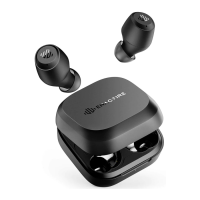
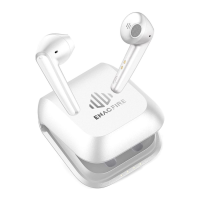
The ENACFIRE Geek headphones are true wireless stereo earphones designed for audio playback and hands-free calling. They come with a charging case for convenient storage and recharging. The earphones feature a multifunctional button for various controls, an earphone LED for status indication, a microphone for calls, and a speaker for audio output. The charging case has an LED light to indicate its charging status and remaining battery capacity.
Important Technical Specifications:

  • Charging Time (Earphones): Approximately 1.5 hours for a full charge.
  • Charging Time (Charging Case): Approximately 1.5 - 2 hours for a full charge.
  • Connectivity: Bluetooth.
  • FCC ID: 2AV33-A305.

Usage Features:

Power On & Pairing:

  • Approach 1 (With Charging Case):
    1. Take out the earphones from the charging case.
    2. Select 'ENACFIRE Geek' from your device's Bluetooth list.
  • Approach 2 (Without Charging Case):
    1. Power On: Touch the earphones for 1 second. Release when you hear the 'Power on' prompt sound with a blue light.
    2. Pairing: The earphones will automatically pair, with the right earphone's blue and white lights flashing alternately.
    3. Select 'ENACFIRE Geek' from your device's Bluetooth list.
    • Note: The right earphone is the master earphone.

Incoming Call Management:

  • Answer Call / End Call: Tap the Left/Right earphone once.
  • Reject Call: Touch the Left/Right earphone for 2 seconds.

Music Playback:

  • Pause / Play: Tap the Left/Right earphone once to pause or play music. (Some phones may require starting a media player first).

Voice Assistant:

  • Activate Voice Assistant: Tap the Left/Right earphone 3 times. Your device's Voice Assistant will be activated with a 'Beep' prompt sound.

Music Navigation:

  • Next Song: Double-tap the Right earphone.
  • Previous Song: Double-tap the Left earphone.

Volume Adjustment:

  • Decrease Volume: Touch and hold the Left earphone.
  • Increase Volume: Touch and hold the Right earphone.
  • Note: These functions (Next song, Previous song, Adjust Volume) are not supported when only one earphone is used. A 'Beep' sound will indicate when the volume reaches its minimum or maximum level.

Power Off:

  • Mode 1 (With Charging Case):
    • Put both earphones back into the charging case; they will power off automatically.
    • Note: If only the Left earphone is put into the charging case, the Right earphone will remain connected. If only the Right earphone is put into the charging case, the Left earphone will disconnect and start pairing.
  • Mode 2 (Without Charging Case):
    1. Turn off Bluetooth on your device to disconnect the earphones.
    2. Touch either earphone for 8 seconds to power off both earphones.

Single Mode:

  • With Charging Case:
    1. Take out either the Left or Right earphone from the charging case.
    2. Select 'ENACFIRE Geek' from your device's Bluetooth list.
  • Without Charging Case:
    1. Ensure both earphones are turned off.
    2. Touch either the Left or Right earphone for 1 second to turn it on. A 'Pairing' prompt sound will be produced with blue and white lights flashing alternately.
    3. Select 'ENACFIRE Geek' from your device's Bluetooth list.
    • Note: There will be two 'ENACFIRE Geek' Bluetooth names for the Left and Right earphones; select accordingly.

Charging Status Indicators:

  • Earphones:
    • White LED light on: Charging.
    • White LED light off: Fully charged.
  • Charging Case:
    • Lights on the charging case indicate the remaining battery capacity:
      • One light: 1/4 Battery Left.
      • Two lights: 2/4 Battery Left.
      • Three lights: 3/4 Battery Left.
      • Four lights: Fully Charged.

Maintenance Features:

Troubleshooting Connection Issues (Earphones fail to pair or connection issues):

  1. Place both earphones into the charging case and ensure they are charging.
  2. Touch and hold the power buttons of both earphones for 8 seconds until blue and white lights flash.
  3. Wait for 5 seconds, then take both earphones out of the charging case.
  4. Delete the 'ENACFIRE Geek' Bluetooth name from your phone and turn off Bluetooth.
  5. Turn on Bluetooth on your phone and click 'ENACFIRE Geek' to connect.

Safety Instruction:

  • Avoid using earphones at high to moderate volumes for extended periods to prevent permanent hearing damage.
  • Keep volume levels moderate to low for safety.
  • Do not use while driving, cycling, operating machinery, or performing activities that require hearing surrounding sounds.
  • Do not use in thunderstorm weather, as earphones may not work properly and increase the risk of lightning strikes.
  • Do not use in high temperature or high humidity conditions.
  • Do not use corrosive cleaners or oil to clean the earphones.
  • If earphones come into contact with liquids, wipe them away quickly.
  • If submersed in water, do not turn them on until completely dried.
  • Man-made damage and lost items are not covered under warranty.
  • Keep earphones and packaging out of reach of children.

Q&A / Troubleshooting:

  • Music cuts in and out: Ensure no obstacles between earphones and device. Avoid microwave ovens/Wi-Fi transmitters nearby, as they can cause electromagnetic interference. Keep the phone and earphones as close as possible for a stable Bluetooth connection.
  • Earphones stop charging: Try charging with the provided cable. If it doesn't work, try another charging cable or power source.
  • Customer Service: Contact support@enacfireglobal.com (US/CA) or moongu@enacfireglobal.com (UK) for product issues. They aim to reply within 24 hours and resolve issues.

ENACFIRE GEEK Specifications

General IconGeneral
BrandENACFIRE
ModelGEEK
CategoryHeadphone
LanguageEnglish

Related product manuals