10
Mode 1
Earphones Standalone
Power O
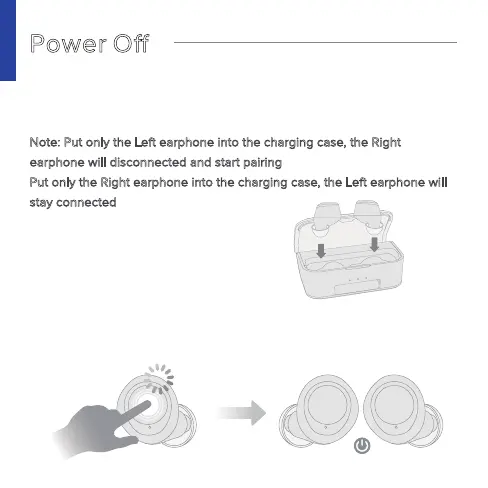
When the earphones are ON, touch either one multifunctional button for
6 seconds, both earphones will power o.
Put the earphones back to the charging case, they will power o
automatically.
Note: Put only the Left earphone into the charging case, the Right
earphone will disconnected and start pairing
Put only the Right earphone into the charging case, the Left earphone will
stay connected
1. Put back Left earphone
only when both earphones
are connected
2. Right earphone will start
paring with blue and
white lights flash
alternately
3. Select ‘ENACFIRE F1 - R’
from the Bluetooth list.
1. Touch the Right
multifunctional button for
4 seconds with Blue and
White light flash
alternately
2. Select and click
‘ENACFIRE F1-R’ from the
Bluetooth list.
11
L/R
Touch 6 sec
Mode 2



 To Next Page