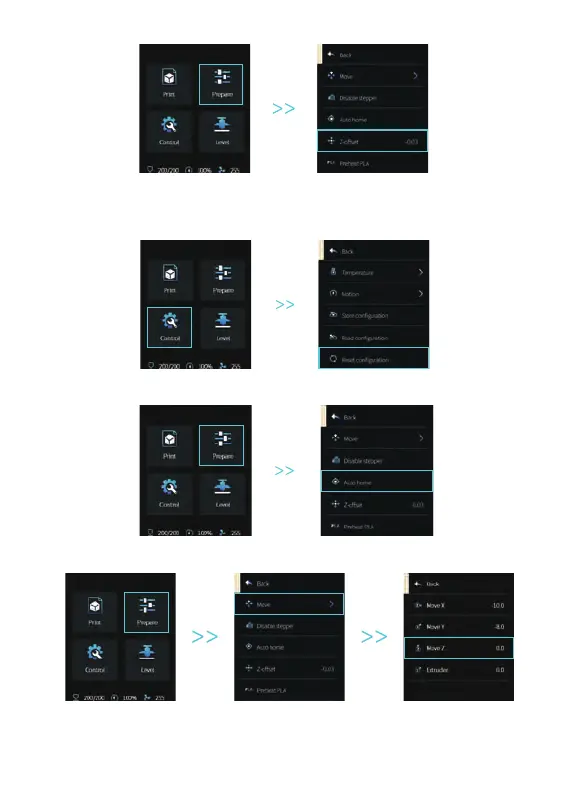
4. Enter “Prepare→Z-offset”, adjust the Z-axis compensation value so that the height from the nozzle to the
platform is almost the thickness of A4 paper (0.08-0.1mm), click the knob to confirm, and complete the
center point leveling.
2. Enter “Prepare→ Auto Home” and return to the starting position.
7 Auxiliary leveling
(When the inclination of the printing platform is larger than 2mm, CR-Touch leveling will fail.
Please use the auxiliary leveling)
1. Enter “Control → Reset configuration” to reset the printer parameters.
3. Enter “Prepare → Move → Move Z”, and clear the value.


 To Next Page