EasyManua.ls Logo

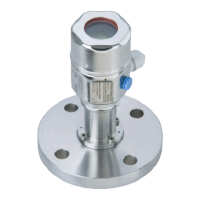
Endress+Hauser Cerabar M PMP55 - User Manual

Endress+Hauser Cerabar M PMP55
134 pages
Print Icon
To Next Page IconTo Next Page
Loading...
BA00382P/00/EN/13.10
71123275
Valid from software version:
01.00.zz
Operating Instructions
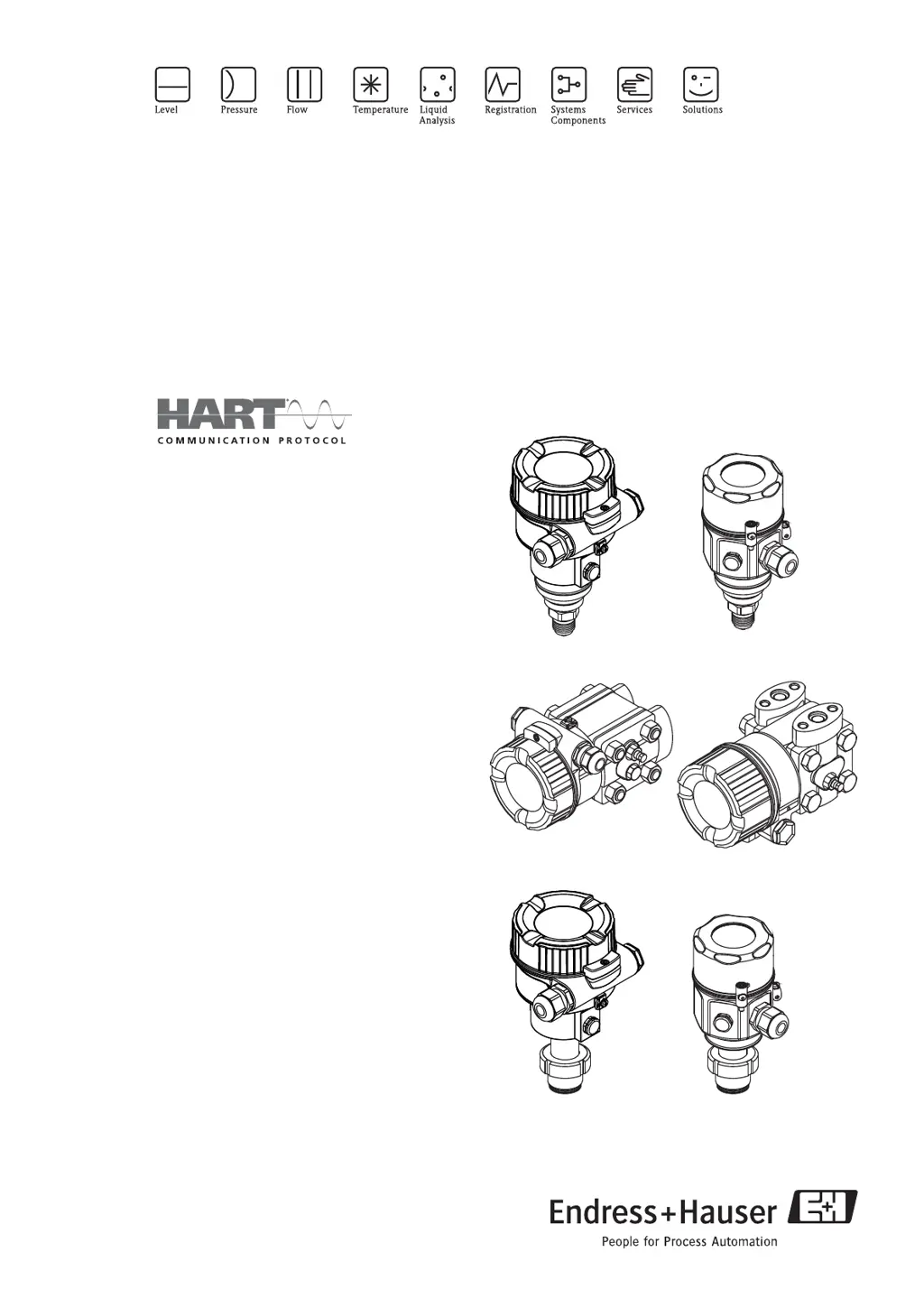
Cerabar M PMC51, PMP51, PMP55
Deltabar M PMD55
Deltapilot M FMB50/51/52/53
Process pressure / Differential pressure, Flow / Hydrostatic
Deltapilot M
Deltabar M
Cerabar M

Table of Contents

Other manuals for Endress+Hauser Cerabar M PMP55

Questions and Answers

  • A
    Ashley LynnAug 14, 2025
    What to do if Endress+Hauser Measuring Instruments show 'Process pressure'?
    • J
      Jennifer JohnsonAug 14, 2025
      If the Endress+Hauser Measuring Instruments display 'Process pressure', it could be due to electromagnetic effects exceeding the specifications in the technical data, or the presence of overpressure or low pressure. You should check the pressure value. If this doesn't resolve the issue, try restarting the device or performing a reset.
  • W
    wilsonclaudiaAug 18, 2025
    Why Endress+Hauser Measuring Instruments show 'Working range P'?
    • G
      gonzalescrystalAug 18, 2025
      The 'Working range P' error on Endress+Hauser Measuring Instruments indicates the presence of overpressure and low pressure, electromagnetic effects exceeding the specifications, or a defective sensor. Check the process pressure and the sensor range to resolve the issue.
  • M
    Mary MorganAug 21, 2025
    What to do if Endress+Hauser Measuring Instruments show 'Sensor conn.'?
    • A
      Anna KellyAug 21, 2025
      If the Endress+Hauser Measuring Instruments display 'Sensor conn.', the cable connection between the sensor and main electronics might be disconnected, the sensor might be defective or electromagnetic effects are greater than specifications in the technical data. Check the sensor cable. If this doesn't resolve the issue, replace the electronics.
  • L
    lunagaryAug 25, 2025
    What to do if Endress+Hauser Measuring Instruments show 'Initialization'?
    • J
      julieyoungAug 25, 2025
      If the Endress+Hauser Measuring Instruments display 'Initialization', the cable connection between the sensor and main electronics might be disconnected, the sensor might be defective or electromagnetic effects are greater than specifications in the technical data. Perform a reset or check the sensor cable.
  • K
    Karen PatelAug 28, 2025
    What to do if Endress+Hauser Measuring Instruments show 'Electronics'?
    • B
      Brianna MccoyAug 28, 2025
      If the Endress+Hauser Measuring Instruments display 'Electronics', try restarting the device or replacing the electronics.
  • R
    Ricky BurkeAug 31, 2025
    What to do if Endress+Hauser Cerabar M PMP55 show 'Permanent mem.'?
    • C
      claytonmaryAug 31, 2025
      If the Endress+Hauser Measuring Instruments display 'Permanent mem.', try restarting the device.
  • C
    Cassandra RobinsonSep 4, 2025
    What to do if Endress+Hauser Measuring Instruments show 'Current simul.'?
    • M
      manningjonathanSep 4, 2025
      If the Endress+Hauser Measuring Instruments are showing 'Current simul.', end the simulation.
  • J
    Joshua SchultzSep 6, 2025
    What to do if Endress+Hauser Cerabar M PMP55 Measuring Instruments show 'Error simul.'?
    • S
      Sarah MartinezSep 6, 2025
      If the Endress+Hauser Measuring Instruments are showing 'Error simul.', end the simulation.
  • R
    robertsmelissaSep 12, 2025
    What to do if Endress+Hauser Measuring Instruments show 'Measure simul.'?
    • S
      Stephanie PerrySep 12, 2025
      If the Endress+Hauser Measuring Instruments are showing 'Measure simul.', end the simulation.

Summary

Operating Instructions

Safety Instructions

Installation, Commissioning and Operation

Guidelines for device installation, commissioning, and operation.

Operational and Process Safety

Measures to ensure operational and process safety.

Installation

Installing Cerabar M

Installation Instructions for Devices Without Diaphragm Seals (PMP51, PMC51)

Specific installation steps for Cerabar M models without diaphragm seals.

Installation Instructions for Devices with Diaphragm Seals - PMP55

Installing Deltabar M

Installation Position

Guidelines for correct physical positioning of the Deltabar M.

Installing Deltapilot M

General Installation Instructions

General guidelines applicable to installing the Deltapilot M.

Post-Installation Check

Wiring

Connecting the Device

Step-by-step guide for connecting the device's electrical wiring.

Connecting the Measuring Unit

Connecting Handheld Terminal (DXR375;FC375)

Connecting Commubox FXA195 for Operation via FieldCare

Post-Connection Check

Operation

Operating Options

Overview of different methods for operating the device.

Operation With Operating Menu

Using the on-device menu for operation and configuration.

Operation Without Operating Menu

Position of Operating Elements

Identifies the location and function of operating keys and DIP switches.

Function of the DIP Switches

Locking;Unlocking Operation

Operation with an Operating Menu

Structure of the Operating Menu

Outlines the hierarchical structure of the device's operating menu.

Operation with a Device Display (Optional)

Operating Keys on the Display and Operating Module

Operation via HART Handheld Terminal

Operation via FieldCare

Resetting to Factory Settings (Reset)

Commissioning

Function Check

Steps to verify proper installation and connection before commissioning.

Commissioning Without an Operating Menu

Pressure Measuring Mode

How to commission the device in pressure measurement mode without a display.

Level Measuring Mode

Flow Measuring Mode (Deltabar M Only)

Commissioning With an Operating Menu

Selecting the Language, Measuring Mode and Pressure Unit

Configuration of language, measuring mode, and pressure units.

Position Zero Adjustment

Level Measurement (Cerabar M and Deltapilot M)

In Pressure Level Selection

In Height Level Selection

Calibration with Partially-Filled Tank (Wet Calibration)

Linearization

Manual Entry of the Linearization Table via the Operating Tool

Semi-Automatic Entry of the Linearization Table

Pressure Measurement

Calibration with Reference Pressure (Wet Calibration)

Electrical Differential Pressure Measurement with Gauge Pressure Sensors (Cerabar M or Deltapilot M)

Differential Pressure Measurement (Deltabar M)

Setup Menu for the Flow Measuring Mode

Flow Measurement (Deltabar M)

Preparatory Steps

Level Measurement (Deltabar M)

Overview of Level Measurement

Level Selection In Pressure

Level Selection In Height

Maintenance

Troubleshooting

Repair of Ex-certified Devices

Technical Data

Description of Parameters

Measurement

Basic Setup

Pressure

Level

Linearization Mode

Flow Type

Max. Flow

Max. Pressure Flow

Output

Current Output

Parameters for configuring the device's current output signal.

Linear;Sqroot

Communication

HART Output

Totalizer 1 (Deltabar M)

Totalizer 2 (Deltabar M)

Diagnosis

Simulation

Endress+Hauser Cerabar M PMP55 Specifications

General IconGeneral
Product TypePressure Transmitter
ManufacturerEndress+Hauser
SeriesCerabar
ModelPMP55
Measuring PrinciplePiezoresistive
Measured VariablePressure
Ambient Temperature-40 to 85 °C
Wetted Parts MaterialStainless Steel
Power Supply10.5 to 45 VDC
Ingress ProtectionIP66/IP67
Accuracy0.1% of span
Output Signal4 to 20 mA
CommunicationHART, PROFIBUS PA, FOUNDATION Fieldbus
Process Temperature-40 to 85 °C
Housing MaterialStainless Steel
Process ConnectionThread, flange

Related product manuals