Level measurement (via local operation and FieldCare) Cerabar S/Deltabar S/Deltapilot S FOUNDATION Fieldbus
124 Endress+Hauser
9.6 "Height linearized" level mode
9.6.1 Wet calibration and semiautomatic entry of the linearization
table
Example:
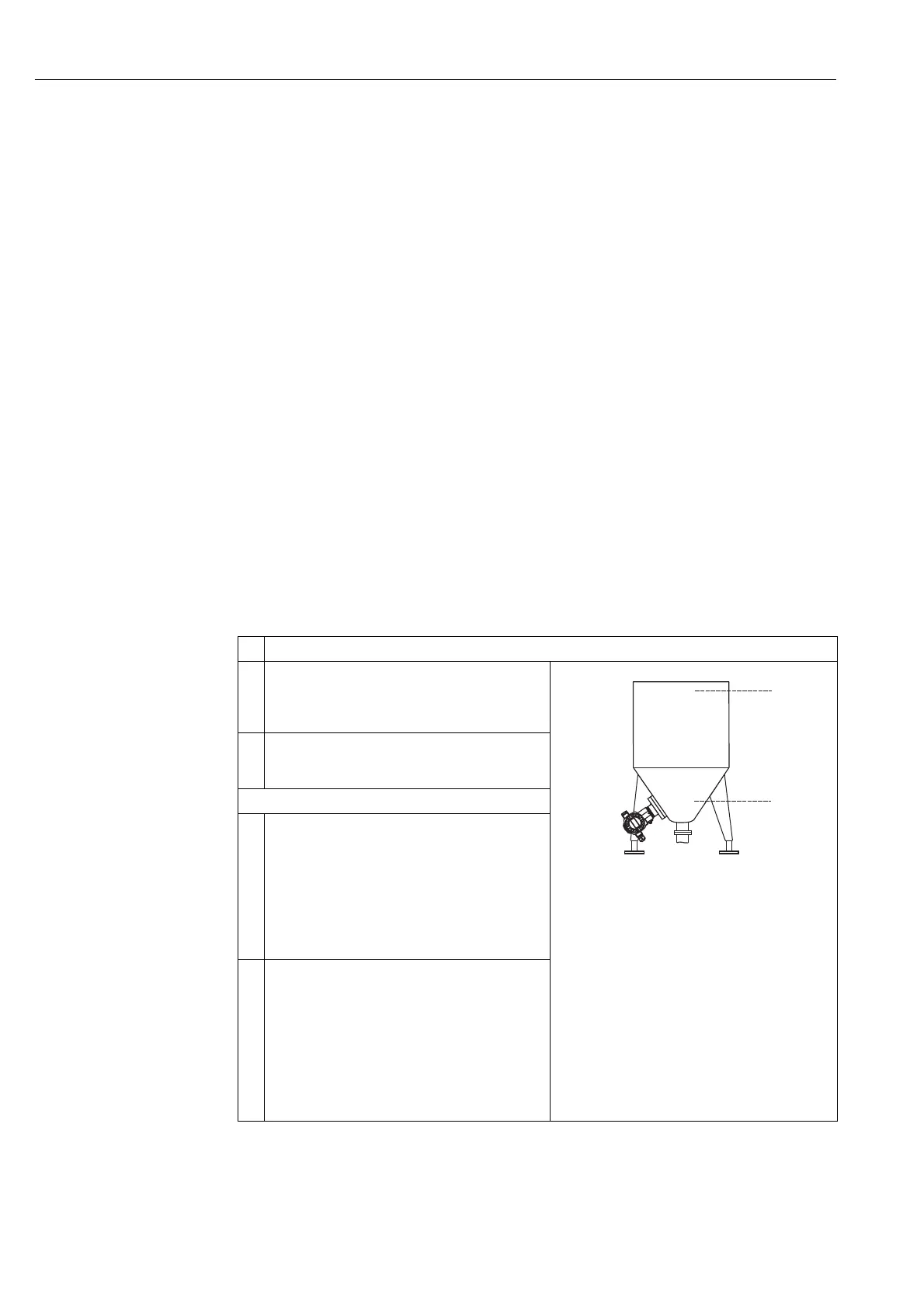
In this example, the height and the volume should be measured at the same time.
Prerequisite:
• The tank can be filled. The linearization characteristic must rise continuously.
!
Note!
• See also Operating Instructions for Deltabar S (BA00301P), Cerabar S (BA00302P), "Level
measurement" section or Deltapilot S (BA00372P), "Level measurement" section.
• For a description of the parameters mentioned, see
– → ä 142, Table 6: OPERATING MENU → SETTINGS → POSITION ADJUSTMENT
– → ä 155, Table 10: OPERATING MENU → SETTINGS → BASIC SETUP "Level", LEVEL
SELECTION "Level standard"
– → ä 170, Table 13: OPERATING MENU → SETTINGS → BASIC SETUP "Level", LEVEL
MODE "Height linearized"
– → ä 186, Table 18: GROUP SELECTION → OPERATING MENU → SETTINGS →
LINEARIZATION – Local operation
– → ä 189, Table 19: MANUFACTURER VIEW → OPERATING MENU → SETTINGS →
LINEARIZATION – FieldCare
• For a description of further parameters, see
– → ä 183, Table 16: OPERATING MENU → SETTINGS → EXTENDED SETUP "Level"
– → ä 201, Table 28: OPERATING MENU → PROCESSINFO → PROCESS VALUES "Level".
Description
1 Deltabar S: Before configuring the device for your
application, the pressure piping must be cleaned and the
device filled with fluid. See Operating Instructions
BA00301P.
P01-PMP75xxx-19-xx-xx-xx-004
2 Carry out position adjustment if necessary. → ä 142,
Table 6: OPERATING MENU → SETTINGS →
POSITION ADJUSTMENT.
Perform calibration for the 1st measured variable:
3 Select the "Level" measuring mode via the MEASURING
MODE parameter.
Local operation:
Menu path: GROUP SELECTION → MEASURING
MODE
FieldCare:
Menu path: OPERATING MENU → SETTINGS →
BASIC SETUP → MEASURING MODE
4 If necessary, select the "Level standard" level mode using
the LEVEL SELECTION parameter.
Local operation:
Menu path: GROUP SELECTION → MEASURING
MODE "Level" → LEVEL SELECTION
FieldCare:
Menu path: OPERATING MENU → SETTINGS →
BASIC SETUP → MEASURING MODE "Level" →
LEVEL SELECTION









 To Next Page