EasyManua.ls Logo

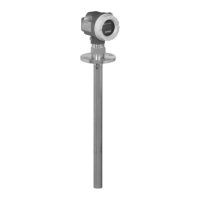
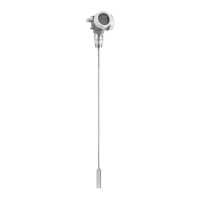
Endress+Hauser Levelflex FMP50 - User Manual

Endress+Hauser Levelflex FMP50
32 pages
Print Icon
To Next Page IconTo Next Page
Loading...
XA00634F-A/00/B2/01.11
71158125
Safety Instructions
Levelflex
FMP50/51/52/53/54/55/56/57
4-20 mA HART
Zone 0 Ex ia IIC T6 Ga
Zone 0/1 Ex ia IIC T6 Ga/Gb
en - Document: XA00634F-A
Safety instructions for electrical apparatus for explosion-hazardous areas
Èä3
zh -
文档:XA00634F-A
爆炸环境中电气仪表的安全指南
Èä9

Questions and Answers

  • D
    Deborah BradleyAug 9, 2025
    Why is my Endress+Hauser Radar measuring incorrectly?
    • K
      Kathryn MyersAug 10, 2025
      If your Endress+Hauser Radar device is measuring incorrectly, it might be due to a parameter configuration error. Review the parameter configuration and correct any mistakes.
  • M
    Matthew JonesAug 15, 2025
    What to do if Endress+Hauser Radar displays a communication error?
    • N
      nicholas78Aug 15, 2025
      If the display shows 'Communication error' when starting the device or connecting the display on your Endress+Hauser Radar, the issue may be electromagnetic interference. Check the grounding of the device. Alternatively, the display cable or plug might be broken, in which case you should replace the display.
  • K
    Krista ThompsonAug 20, 2025
    How to troubleshoot an Endress+Hauser Radar device that does not respond?
    • M
      michael77Aug 20, 2025
      If the Endress+Hauser Radar device does not respond, it could be due to the following reasons: * The supply voltage is not connected. Connect the correct voltage. * The cables do not contact the terminals properly. Ensure electrical contact between the cable and the terminal.
  • B
    Brittany CaseyAug 25, 2025
    How to fix invisible values on Endress+Hauser Radar display?
    • D
      Dawn JohnsonAug 26, 2025
      If the values on the display of your Endress+Hauser Radar are invisible, the contrast setting may be too weak or too strong. Try these steps: * Increase the contrast by pressing the designated buttons simultaneously. * Decrease the contrast by pressing the designated buttons simultaneously. Alternatively, the display cable plug might not be connected correctly, so ensure it is properly connected. If the issue persists, the display may be defective and require replacement.
  • A
    Alisha SwansonAug 29, 2025
    Why CDI communication is not working on Endress+Hauser Radar?
    • S
      sarahsalasAug 29, 2025
      If CDI communication does not work with your Endress+Hauser Radar, the COM port setting on your computer may be incorrect. Check the COM port setting and change it if necessary.
  • C
    Candice BooneSep 3, 2025
    What to do if parameter duplication is not working on Endress+Hauser Radar?
    • A
      Amanda BanksSep 3, 2025
      If the duplication of parameters via display from one device to another is not working on your Endress+Hauser Radar and only the 'Save' and 'Cancel' options are available, it could be because the display with backup is not properly detected if a data backup was not carried out on the new device previously. Connect the display (with backup) and restart the device.

Endress+Hauser Levelflex FMP50 Specifications

General IconGeneral
Measuring PrincipleGuided radar
ApplicationLevel measurement in liquids
Measuring RangeUp to 30 m
Process Temperature-40 to +80 °C
Process Pressure (absolute)Up to 40 bar (580 psi)
Main wetted partsStainless steel, PTFE
CommunicationHART, PROFIBUS
Accuracy± 2 mm
Power Supply10.5 to 35 V DC
Protection RatingIP66/IP68

Related product manuals