5 Installation
5.1 Inserting the SIM
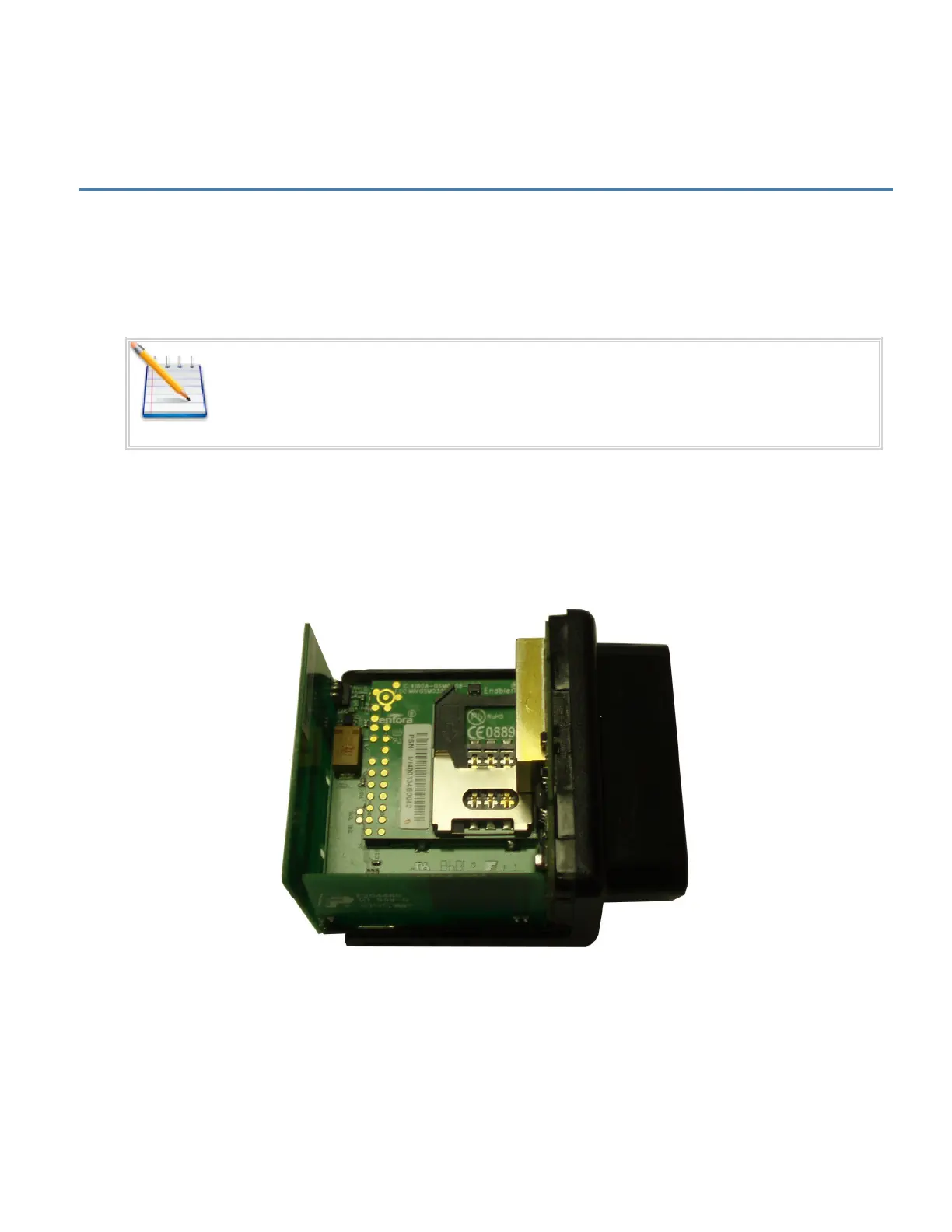
Insert the SIM per the following procedure:
Note: The SIM card is not provided with the MT 3000 device. The SIM must be
obtained from the GSM/GPRS service provider and must be provisioned by the
operator for data. Always take care to protect the SIM. Without the SIM installed,
MT 3000 modem is not able to communicate on the network.
1. Using the correct tool, carefully remove the device cover to access the internal SIM holder.
2. Insert the SIM into the SIM holder of the MT 3000.
3. Replace the cover.
Figure: 17 - Internal SIM Holder
- 21 -


 To Next Page